EasyManua.ls Logo

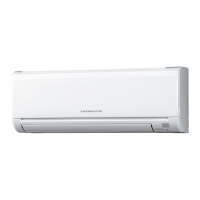
Mitsubishi MSZ-GE60VA - User Manual

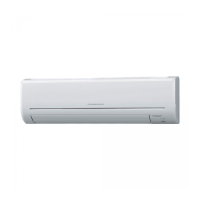
Mitsubishi MSZ-GE60VA
12 pages
Print Icon
To Next Page IconTo Next Page
Loading...
SPLIT-TYPE AIR CONDITIONERS
INDOOR UNIT
MSZ-GE60VA MSZ-GE71VA MSZ-GE80VA
English
OPERATING INSTRUCTIONS
For user
To use this unit correctly and safely, be sure to read these operating in-
structions before use.
SG79F396H02_Cover.indd 1 2010/05/11 17:11:32

Other manuals for Mitsubishi MSZ-GE60VA

Question and Answer IconNeed help?

Do you have a question about the Mitsubishi MSZ-GE60VA and is the answer not in the manual?

Summary

SAFETY PRECAUTIONS

For installation

PREPARATION BEFORE OPERATION

SELECTING OPERATION MODES

FAN SPEED AND AIRFLOW DIRECTION ADJUSTMENT

POWERFUL OPERATION

ECONO COOL OPERATION

TIMER OPERATION (ON;OFF TIMER)

WEEKLY TIMER OPERATION

Setting the Weekly Timer

Step-by-step guide to program daily ON/OFF times and temperatures for the week.

CLEANING

Filter Cleaning

Guide on cleaning the air filter and air cleaning filter, including frequency and method.

WHEN YOU THINK THAT TROUBLE HAS OCCURRED

Indoor Unit and Remote Controller Issues

Addresses common problems with the indoor unit's operation and the remote controller.

Outdoor Unit Issues

Lists common outdoor unit symptoms and their possible causes and solutions.

INSTALLATION AND ELECTRICAL WORK

Overview

This document describes the Mitsubishi Electric Split-Type Air Conditioners Indoor Unit models MSZ-GE60VA, MSZ-GE71VA, and MSZ-GE80VA. It serves as an operating instruction manual for users, emphasizing correct and safe usage.

Function Description

The Mitsubishi Electric Split-Type Air Conditioners are designed to provide climate control for indoor spaces. These units offer multiple operation modes including AUTO (Auto Change Over), COOL, DRY, and HEAT, allowing users to select the most suitable mode for their comfort. The AUTO mode intelligently switches between cooling and heating based on the difference between the room temperature and the set temperature. The DRY mode focuses on dehumidifying the room, while COOL and HEAT modes provide cooling and warming respectively.

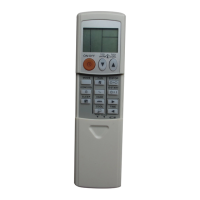
The units are equipped with a remote controller for convenient operation, allowing users to adjust temperature, fan speed, and airflow direction. An emergency operation switch on the indoor unit provides a backup control method if the remote controller is unavailable. The "Auto restart function" ensures that the unit resumes operation in the last set mode after a power failure, canceling any active timer settings.

Important Technical Specifications

Guaranteed Operating Range:

  • Cooling:
    • Upper limit: 32°C DB (Dry Bulb), 23°C WB (Wet Bulb)
    • Lower limit: 21°C DB, -10°C DB
    • Lower limit (WB): 15°C WB
  • Heating:
    • Upper limit: 27°C DB, 24°C DB
    • Upper limit (WB): 18°C WB
    • Lower limit: 20°C DB, -15°C DB
    • Lower limit (WB): -16°C WB

Refrigerant: The manual mentions that the refrigerant used is safe and normally does not leak. If leakage occurs and comes into contact with a heat source, it can create a harmful gas, necessitating consultation with a dealer.

Electrical Work: A dedicated power supply and proper earthing are required for the air conditioner. The installation location should consider clearances from TV/radio antennas (at least 3m) to prevent interference, and ensure good ventilation for the outdoor unit.

Usage Features

Operation Modes:

  • AUTO: Automatically switches between COOL and HEAT based on room temperature. Not recommended for multi-system outdoor units if simultaneous operation with other indoor units is expected.
  • COOL: Provides cool air. Not recommended for use below -10°C outside temperature to prevent water dripping.
  • DRY: Dehumidifies the room, with slight cooling. Temperature cannot be set in this mode.
  • HEAT: Provides warm air.

Temperature Adjustment: Users can raise or lower the temperature by 1°C per press using the remote controller.

Fan Speed Control: Five fan speeds are available: AUTO, Quiet, Low, Med., High, and Super High. AUTO mode automatically adjusts fan speed, while Quiet mode is for silent operation. Higher speeds are recommended for quicker cooling/heating.

Airflow Direction Adjustment:

  • Horizontal Vane: Can be set to AUTO, fixed positions (1-5), or SWING (intermittent up and down movement). AUTO sets the vane to the most efficient airflow direction (horizontal for COOL/DRY, position 5 for HEAT).
  • Vertical Vane (WIDE VANE): Controls horizontal airflow direction, with a SWING option.

Special Operations:

  • LONG Operation: Increases fan speed and adjusts the horizontal vane to reach longer distances.
  • POWERFUL Operation: Provides exclusive high-speed operation for quick cooling or heating. It automatically cancels after 15 minutes or if other specific buttons are pressed.
  • i-save Operation: A simplified setback function that allows users to save and recall preferred settings (temperature, fan speed, airflow direction) with a single button press. Two settings can be saved: one for COOL/ECONO COOL and one for HEAT. In i-save HEAT mode, the minimum temperature setting can be as low as 10°C (normally 16°C).
  • ECONO COOL Operation: Utilizes swing airflow to create a cooler sensation, allowing the set temperature to be automatically raised by 2°C while maintaining comfort, thus saving energy.

Timer Operations:

  • ON/OFF Timer: Allows setting a specific time for the unit to turn ON or OFF. Both ON and OFF timers can be set simultaneously.
  • WEEKLY Timer: Enables setting up to 4 ON/OFF timers for individual days of the week, totaling a maximum of 28 timers per week. This allows for customized operation schedules throughout the week.

Maintenance Features

Filter Cleaning: Regular cleaning of filters is crucial for optimal performance and reduced power consumption.

  • Air Filter (Nano Platinum Filter): Should be cleaned every 2 weeks. Dirt can be removed with a vacuum cleaner or by rinsing with water and drying in shade. The Nano Platinum filter provides semi-permanent antibacterial and deodorizing characteristics.
  • Air Cleaning Filter (Electrostatic Anti-Allergy Enzyme Filter): Should be cleaned every 3 months using a vacuum cleaner. If heavily soiled, it can be soaked in lukewarm water and rinsed, then dried in shade. It is recommended to replace this filter annually for best performance.

Front Panel Cleaning: The front panel can be removed for cleaning by lifting it until a "click" is heard, then pulling the hinges. It can be wiped with a soft dry cloth or rinsed with water (not soaked for more than two hours) and dried in shade.

Air Outlet and Fan Cleaning:

  1. Turn the horizontal vanes downward and remove them.
  2. Swing out the two vertical vanes.
  3. Clean the air outlet and fan with a soft dry cloth.
  4. The fan can be cleaned using the optional QUICK CLEAN KIT (Parts Number MAC-093SS-E).
  5. Reinstall the vertical and horizontal vanes, ensuring they click into place. Incorrect installation of horizontal vanes may cause LED lamps to blink.

Long-Term Storage: If the unit will not be used for a long time:

  1. Operate in manual COOL mode at the highest temperature for 3-4 hours to dry the inside of the unit, preventing mold growth.
  2. Stop the operation.
  3. Turn off the breaker or disconnect the power supply plug.
  4. Remove all batteries from the remote controller.

Restarting After Long Storage:

  1. Clean the air filter.
  2. Check that the air inlet and outlet of both indoor and outdoor units are not blocked.
  3. Verify that the earth connection is correct.
  4. Follow the "Preparation Before Operation" instructions.

Troubleshooting: The manual provides a comprehensive troubleshooting guide for common issues, including the unit not operating, blinking LED lamps, abnormal sounds, and insufficient cooling/heating. It advises users to consult their dealer if problems persist or if abnormal conditions (e.g., water leaks, frequent breaker trips, abnormal sounds) occur.

Mitsubishi MSZ-GE60VA Specifications

General IconGeneral
BrandMitsubishi
ModelMSZ-GE60VA
CategoryAir Conditioner
LanguageEnglish

Related product manuals