EasyManua.ls Logo

Mitsubishi P91E - User Manual

Mitsubishi P91E
31 pages
Print Icon
To Next Page IconTo Next Page
Loading...
VIDEO COPY PROCESSOR
MODEL
P91W
P91E
OPERATION MANUAL
THISOPERATIONMANUALISIMPORTANT
TOYOU.
PLEASEREADITBEFOREUSINGYOUR
VIDEOCOPYPROCESSOR.
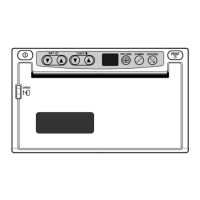
VIDEO COPY
PROCESSOR
OPEN
BRT
CONT
GAMMA
PRT-SIZE
COPY/FEED
PRINT
This video copy processor complies with the requirements of the EC Directive 89/336/
EEC, 73/23/EEC, 93/42/EEC and 93/68/EEC.
The electro-magnetic susceptibility has been chosen at a level that gains proper
operation in residential areas, on business and light industrial premises and on small-
schale enterprises, inside as well as outside of the buildings. All places of operation
are characterised by their connection to the public low voltage power supply system.
Question and Answer IconNeed help?

Do you have a question about the Mitsubishi P91E and is the answer not in the manual?

Summary

General Safety Precautions

Power Requirement Specifications

Details the voltage and frequency requirements for operating the Video Copy Processor.

Protective Measures and Electrical Safety

Outlines essential safety practices to prevent hazards like electric shock and fire.

Optimal Installation Locations

Provides guidance on choosing suitable environments and avoiding unsuitable places for the unit.

Long-Term Operation and Care Guidelines

Unit Care and Maintenance

Covers avoiding unsuitable materials, cabinet cleaning, and thermal head wear for unit longevity.

Operational Safety and Troubleshooting Tips

Includes advice on detecting defects, connecting devices, relocating, and unplugging for extended absence.

Thermal Paper Usage and Handling

Thermal Paper Properties and Storage

Information on paper type, handling precautions, and storage conditions for optimal print quality.

Summary

General Safety Precautions

Power Requirement Specifications

Details the voltage and frequency requirements for operating the Video Copy Processor.

Protective Measures and Electrical Safety

Outlines essential safety practices to prevent hazards like electric shock and fire.

Optimal Installation Locations

Provides guidance on choosing suitable environments and avoiding unsuitable places for the unit.

Long-Term Operation and Care Guidelines

Unit Care and Maintenance

Covers avoiding unsuitable materials, cabinet cleaning, and thermal head wear for unit longevity.

Operational Safety and Troubleshooting Tips

Includes advice on detecting defects, connecting devices, relocating, and unplugging for extended absence.

Thermal Paper Usage and Handling

Thermal Paper Properties and Storage

Information on paper type, handling precautions, and storage conditions for optimal print quality.

Mitsubishi P91E Specifications

General IconGeneral
BrandMitsubishi
ModelP91E
CategoryMedia Converter
LanguageEnglish

Related product manuals