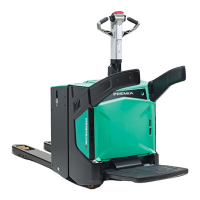
PBV20N2 PBV20N2 Service Service ManualManual
4.4. Remove the lever connector.Remove the lever connector.
5.5. Remove the two screws from theRemove the two screws from the
mounting bracket.mounting bracket.
6.6. Remove the controller.Remove the controller.
7.7. Remove the mounting bracket.Remove the mounting bracket.
15.4.2 15.4.2 Installing Installing the the controller controller for for lifting lifting and and loweringlowering
1.1. Connect the lever wires to the Connect the lever wires to the connector. The pin locations from 1 to connector. The pin locations from 1 to 3 are3 are
marked on the connector with lines and help you in determining the rest of the pinmarked on the connector with lines and help you in determining the rest of the pin
locations. Details of the controller wires and their locations. Details of the controller wires and their pin locations are available inpin locations are available in
Figure 94Figure 94 andandTable 11Table 11 below.below.
2.2. Install the controller and tighten the screws.Install the controller and tighten the screws.
3.3. Connect the controller Connect the controller connector.connector.
4.4.
Install the levers.Install the levers.
5.5. Tighten the screws at the end of the levers.Tighten the screws at the end of the levers.
6.6. Calibrate the controller. For instructions, see Calibrate the controller. For instructions, see sectionsection9.1.9.1.
Figure 94. Controller for lifting and lowering pin locationsFigure 94. Controller for lifting and lowering pin locations


 To Next Page
 Loading...