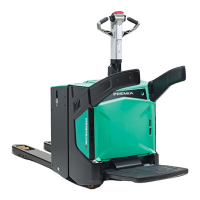
PBV20N2 PBV20N2 Service Service ManualManual
Table 11. Controller for lifting and lowering wire detailsTable 11. Controller for lifting and lowering wire details
PIN
PIN WIRE WIRE COLOR COLOR DESCRIPTIONDESCRIPTION
11
Green Green Sensor Sensor +24 +24 VV
22
White/Brown White/Brown Sensor Sensor GNDGND
33
White/Black White/Black Output Output signalsignal
44
- - --
55
- - --
15.4.3 15.4.3 Calibrating Calibrating the the controller controller for for lifting lifting and and loweringlowering
If the controller for If the controller for lifting and lowering or the Zapi COMBIACX Power controller islifting and lowering or the Zapi COMBIACX Power controller is
changed, the controller for lifting and lowering must be calibrated. Also if changed, the controller for lifting and lowering must be calibrated. Also if the truck doesthe truck does
not drive smoothly, it is not drive smoothly, it is recommendrecommended that you always first ed that you always first perform this calibration.perform this calibration.
15.4.3.1 Acquiring the VACC with TruckTool15.4.3.1 Acquiring the VACC with TruckTool
1.1. Connect TruckTool to the truck.Connect TruckTool to the truck.
2.2. In TruckTool, go to the Wizards In TruckTool, go to the Wizards view.view.
3.3. Select the "Controller for lifting and lowering calibration" option and click theSelect the "Controller for lifting and lowering calibration" option and click the
"Start wizard" button next to it."Start wizard" button next to it.
4.4. Make sure that the truck’s lever forMake sure that the truck’s lever for
lifting and lowering is in the middlelifting and lowering is in the middle
position.position.
5.5. In TruckTool, click "Start" in In TruckTool, click "Start" in the Wizard popup window.the Wizard popup window.


 To Next Page
 Loading...