13
4. Operation
4.1 Power on/off
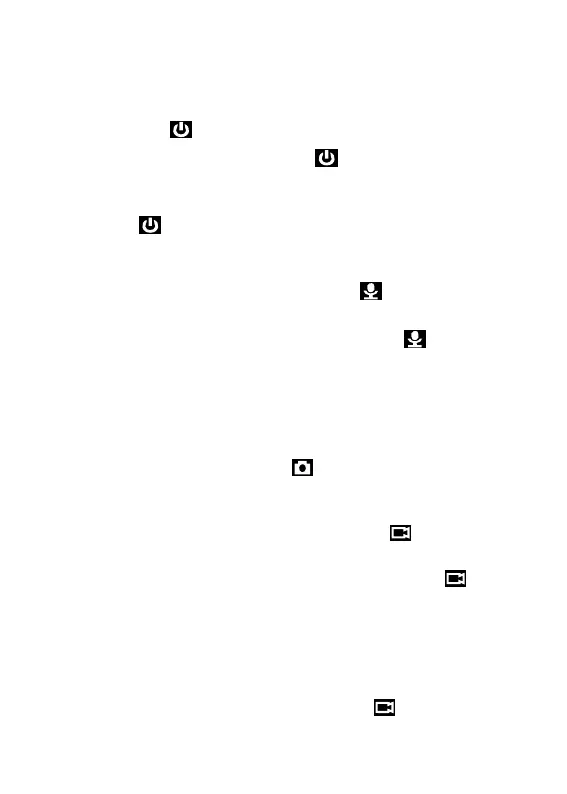
hold Power button for 3 seconds to start up and enter standby mode;
at any mode with holding Power button for 3 seconds, camera will
shut down.
PS: at standby / video recording / audio recording mode, short press
power button , screen saver can be on/off.
4.2 Audio recording
In standby mode, press audio Recording Button for audio recording.
Camera will beep, and vibrate once and LED indicator on the top turns
yellow and flashes. Press again audio Recording Button to stop audio
recording (camera vibrates twice) and save the file.
In audio recording mode, short press FN button to remark the file as an
important file, the yellow star icon will appear at the right side on screen.
4.3 Photo shooting
At standby mode, press photo button to take photos.
4.4 Video recording
In standby mode, press video Recording Button to start video
recording. Camera will beep, and vibrate once and LED indicator on the
top turns red and flashes. Press again video Recording Button to stop
video recording (camera vibrates twice) and save the file.
In video recording mode, short press FN button to remark the file as an
important file, the yellow star icon will appear at the right side on screen.
4.5 One-button video recording
At power-off mode, hold video Recording Button for three seconds
for powering on the camera and start video recording immediately.


 To Next Page