1. When the battery in Moonstone is running low you
will hear the voice prompt “Low Battery” and the
LED will glow solid red.
2. Plug the charging cable connected to a DC 5V
500mAh adapter in to the USB port.
3. The LED will glow solid blue when fully charged.
1.
2.
3.
4.
5.
8.
9.
12.
10.
11.
6.
7.
How to charge the Moonstone?
Welcome!
Thank you for purchasing the Mivi Moonstone Wireless Speaker.
This User Guide will assist you on how to use your Moonstone
and get the best out of its many features!
What’s Inside
1. Mivi Moonstone
2. Charging Cable
3. AUX Cable
Unit at a glance
Wireless Speaker
Moonstone
USER MANUAL
1. Wrist strap
2. Power button
3. Volume Up (+)
4. Volume Down (-)
5. Multi function button (MFB)
6. Microphone
7. 3.5 mm AUX input
8. MicroSD port
9. USB charge port
10. Reset button
11. Charging LED
12. Back lid
Specications
Bluetooth Connection Name: Mivi Moonstone
Model: BS10MS
Power Input: DC 5V / 1.0mA
Call / Play time: About 6 hours (70% Volume)
Charging Time: 2 to 4 hours
Bluetooth: V4.2+BR+EDR+BLE compliant
Product Size: 128*128*46mm
Frequency Response Range: 20 – 20000Hz
Bluetooth Range: Up to 10 meters
1. If you have paired your Moonstone to many devices or your
speaker is not responding you can reset the speaker.
2. To reset press the Reset button using a blunt tool for 3
seconds.
How do I reset my Moonstone?
Do’s and Dont’s
To ensure safe operation and warranty coverage, please
adhere to the following rules:
1. Please note that sustained listening to music over 70%
volume is not recommended.
2. Do not drop, disassemble, open, crush, bend, puncture or
burn the Moonstone as any kind of physical damage is not
covered under warranty.
3. Do not place it close to any heat source (such as radiators,
heating equipment, stoves, or other heat-generating
equipment).
4. Before wiping with a dry cloth, switch it o and unplug the
power cord from the power outlet.
How to Claim Mivi Warranty?
Mivi Moonstone is covered with 1 year warranty against
manufacturing defects. In case you would like to claim
warranty please send an email with details of the issue you are
facing and order information to the Mivi support email:
support@mivi.in
Reset button
To ensure optimum play time and safe
charging for your Moonstone please make
sure you use certied chargers and cables.
Mivi Bluetooth Earphones
Mivi Moonstone is a perfect to take your small intimate parties
to a whole new level of entertainment. If you would like to share
the pleasure of pure sound here are a few Mivi oerings which
are guaranteed to sound music to your ears.
A world of entertainment...
www.mivi.in
Mivi earphones are guaranteed to play a personalised sonata
composing a world of enterainment in your ears. Visit mivi.in to
know more details of our products specically designed for the
audiophile in you.

 Need help?
 General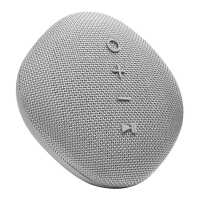

 To Next Page