9 10
From the Watch Core
home screen swipe right to
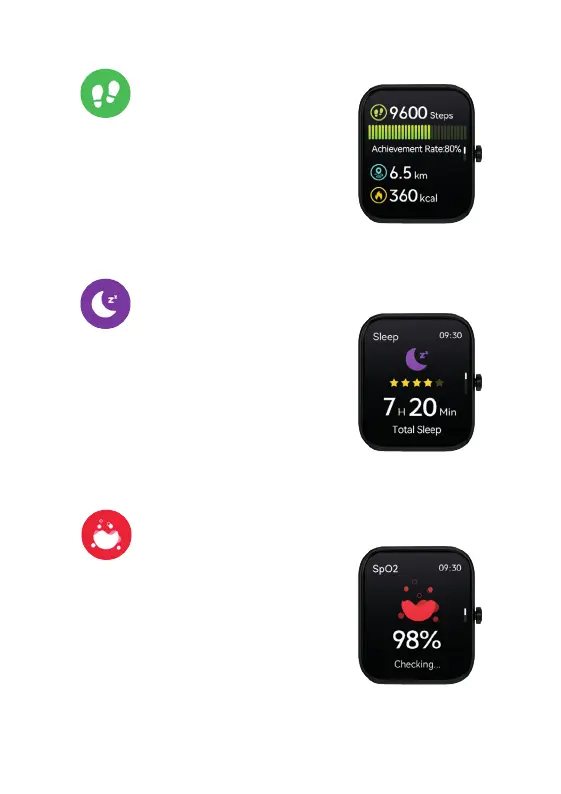
the Activity Data. The watch will show your: steps,
distance walked and calories burned for that day
based on your daily activities. Swipe down on this
screen for 1 extra page of data.
A more detailed breakdown of your progress and
achievements can be seen via the App
on your phone.
3. ACTIVITY DATA
(Step Counter)
4. SLEEP MONITORING
REMEMBER! To wear your Watch Core to bed to
capture your sleep patterns.
From the Watch Core
home screen swipe right to
locate the Sleep feature. From here you will see
your previous nights total sleep. Swipe down on this
screen for 2 extra pages of data.
You can see more details of your sleep pattern
including a break down of light and deep sleep using
the App on your phone.
5. SpO2:
BLOOD OXYGEN MONITORING
From the Watch Core
home screen swipe right to
locate the SpO2 feature. A 30 second countdown will
start and then your blood oxygen result will display.
Swipe down on this screen for 1 extra page of data.
You can see more data of your blood oxygen via
the App on your phone.
6. HEART RATE
rom the Watch Corehome screen swipe right to
ate the Heart Rate feature. The Watch Core will
w your BPM heart reading. Swipe down on this
een for 1 extra page of data.
ou can see more data of your heart rate on the App
our phone.
STRESS
rom the Watch Corehome screen swipe right to
ate the Stress feature. A 60 second countdown will
t your stress level is calculated. Once the
ountdown is complete, your stress level will appear.
wn on this screen for 1 extra page of data.


 To Next Page