13 14
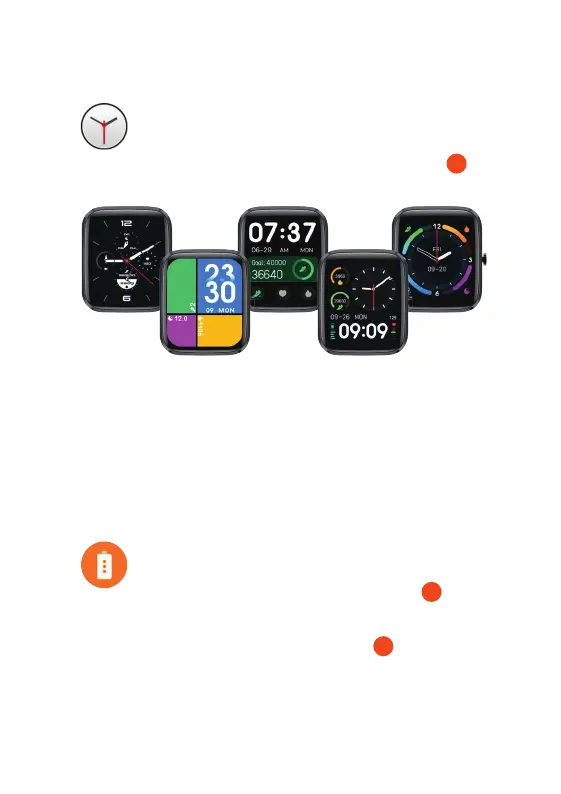
CHANGE THE WATCH FACE
From the Watch Core home screen, tap and hold the Multi-touch Screen .
1
11. WATCH SETTINGS
Swipe to the right or left to choose your home screen display and then ‘tap’ on
the screen to confirm. There are 5 pre-set faces loaded onto the watch.
You can upload 1 additional watch face option from the App onto your Watch
Core: in the App, select your device and then tap ‘Watch Face Style’ (under
‘Display’) to show infographic or photographic watch face options. You can have
a total of 7 different watch faces loaded onto the watch at one time.
SAVE POWER
From the Watch
Core home screen, press the Home Screen Button and
locate the Save Power feature. From here you can choose to only show the time
function on your Watch
Core. This will save battery life but other functions will
become unavailable. Long press the Home Screen Button to exit power
saving mode.
2
TORCH
rom the Watch Core home screen, press the Home Screen Button and locate
orch feature. Tap icon to activate torch. Press the Home Screen Button
o exit.
2
SETTINGS
rom the Watch Core home screen, press the Home Screen Button and locate
eature. Tap icon to open a list of settings such as adjusting the
ormat, resetting the watch, help and more.
WATCHCORE NAVIGATION
MENU
rom the Watch Core home screen, press the Home Screen Button for the
Swipe down to view the more options. This menu can be viewed in
t view or grid view . Examples below are shown in grid view.


 To Next Page
 Loading...