5 6
’S STAY CHARGED
atch over, to align and attach the charging pins to
ging Dock . You will see the charging
on on the watch screen display for 5 seconds. It will take up
s to fully charge this watch and then a battery icon
l show. Regular wiping of the charge contact points will
e there are no problems charging your watch.
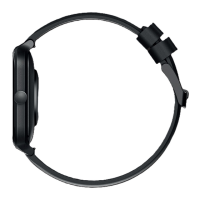
’S CHANGE THE
ATCH STRAP
an replace the watch strap
t regular 20 - 22mm straps
ach it to the watch body. Just
o remove the straps
eplace with the new ones.
LET’S LINK TO...
1. Open the WoFit app
2. Tap the ‘Mine’ icon to reveal your settings.
3. Select ‘Connect via 3rd Party Platform platform’.
4. Select connect to ’Apple Health’.
5. Open your Apple Health app and tap your profile picture.
6. In your Apple Health profile select: Apps in your privacy settings.
7. Select ‘WoFit’ from the list.
8. Finally, activate the categories that you want WoFit to track.
LET’S LINK TO...
1. Open the WoFit app
2. Tap the ‘Mine’ icon to reveal your settings.
3. Select ‘Connect via 3rd Party Platform platform’.
4. Select connect to ’Google Fit’.
5. Choose a Google account to connect your WoFit app.
6. Allow WoFit to access your Google account
7. WoFit is now connected to your Google Fit app.


 To Next Page