Page 6
Reference Series User’s Manual
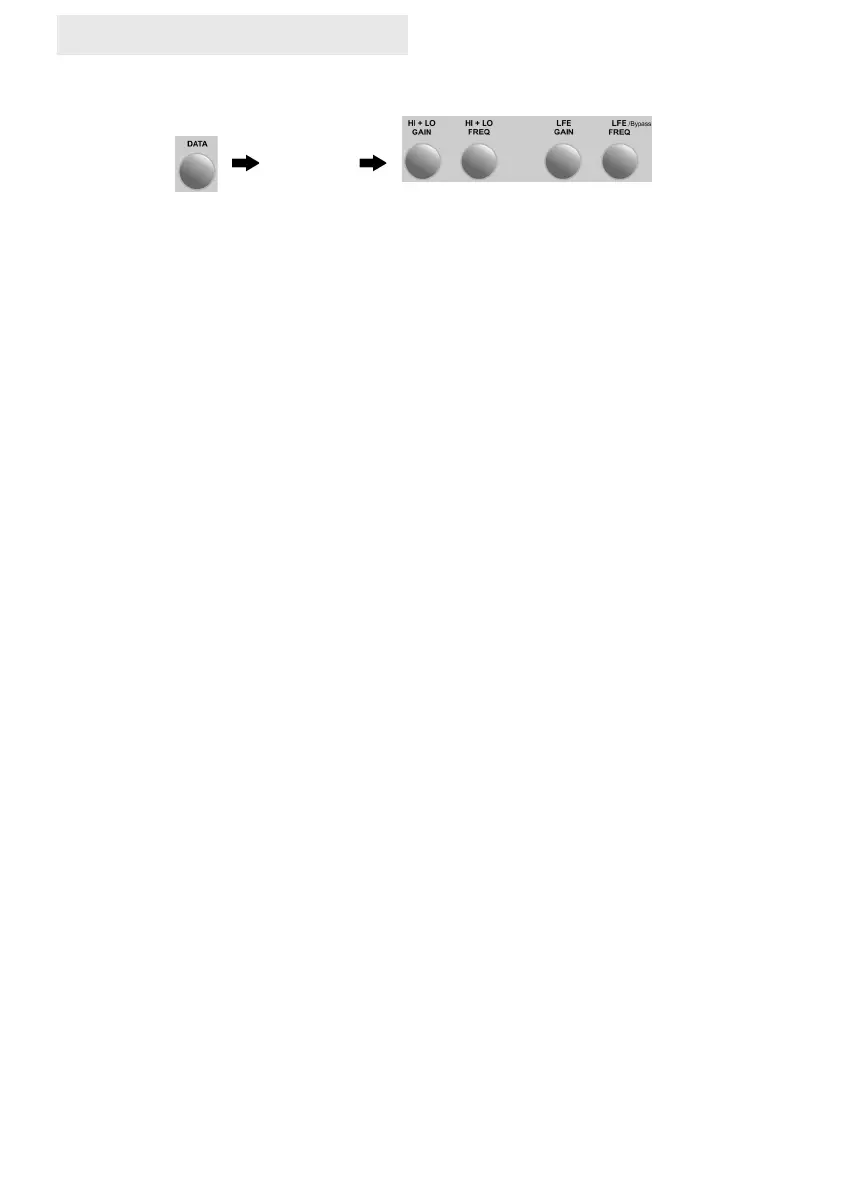
Repeated pressing of the data rotary control scrolls through the menu options as follows:
Hi — Hro — Lo — Lro — Pha — bri — APO — Etr — Aon — Dto—Pos—Grp—Reg
Settings can be made at each menu option by turning the rotary control. A further push moves to
the next menu item. At any time settings can be stored in one of 4 user pre-set locations which
are accessed by holding down the corresponding pre-set button (as numbered above).
1 2
3 4
Press to select
menu item.
Press and hold to store
settings at one of 4
locations
Turn for setting
Repeated pressing of the data rotary control scrolls through the menu options as follows:
H-L — Hro — LFE — Lro — Pha — bri — APO — Etr — Aon — Dto—Pos—Grp—Reg
Settings can be made at each menu option by turning the rotary control. A further push moves to
the next menu item. At any time settings can be stored in one of 4 user pre-set locations which
are then accessed by short push down on the corresponding pre-set button (as numbered above).
Dto (Display Timeout) When selected the display will shut off after 7secs. Use of the remote
data rotary will bring the display back on.
Etr (External 12v Trigger) This function parameter setting allows external trigger input polarity
to be altered. The settings are -_- and _-_. The Reference Series can be put to sleep and
woken via this voltage monitoring circuit.
APO (Auto Power Off) This function parameter setting allows adjustment of the auto power off
time delay. The settings are 1min to 30mins(default) and incremented by rotating the Data
button. When auto power off is activated the DATA control must be pressed to bring back on
manually. This occurs automatically when audio frequencies above the Aon threshold level are
present (see Aon).
Pha (Phase) With the Reference Series sophisticated microprocessor controlled and
monitored crossover circuit (D.A.M.P.) comes an adjustable phase control. Setting the phase in
musically accurate infinitely variable increments between 0º and 180º. This control is used to
enable accurate and musical integration when placed in your audio system. By adjusting this
control almost infinite placement combinations can become possible. Most people will not
experience phasing. The effects of which are only apparent to the ear if your main speakers
produce the same frequency note at the same volume level as the subwoofer. For example, if
your main speakers produce a note of 40hz at an equivalent volume level to the subwoofer, also
producing 40hz, and the phase of each is out by 180° then they cancel each other out resulting in
a reduction of bass at this frequency. To remedy this you adjust the phase control on the
subwoofer to bring them both into phase. As a rule of thumb setting the system to be in phase is
achieved when the bass output at the listening position is at its loudest. Changes of phase
setting can be used to accommodate various positions of the cabinet in your room in order to
achieve the best integration balanced with aesthetic enjoyment.
Bri (Brightness) This function parameter setting allows adjustment of the background display
brightness. The settings are 1 to 5 with 5 being the brightest.
Aon (Auto On) sensitivity of the auto on circuit can be increased or decreased between 001
(most sensitive) and 009 (least sensitive).
Pos (Position name) This menu is relevant to the use of multiple sub-bass systems. When
using the Smart Remote APP your device screen will show the name(position) of the sub-bass
system in operation.. It is a means by which the user can distinguish between each unit. The
name is not related to actual position in the listening room but careful choice of the available
names can prove useful in this regard. Selection choice is P–1, L, C, R, P-2 through 9 (please
refer to Smart Remote instruction manual for more details)
Grp (Group Selection) This setting enables sub-bas systems to be linked by group in order for
the very best integration results in a multi sub-bas system. (please refer to Smart Remote in-
struction manual for more details)
03/2023 (REF– GEN)


 To Next Page
 Loading...