Page 8
Reference Series User’s Manual
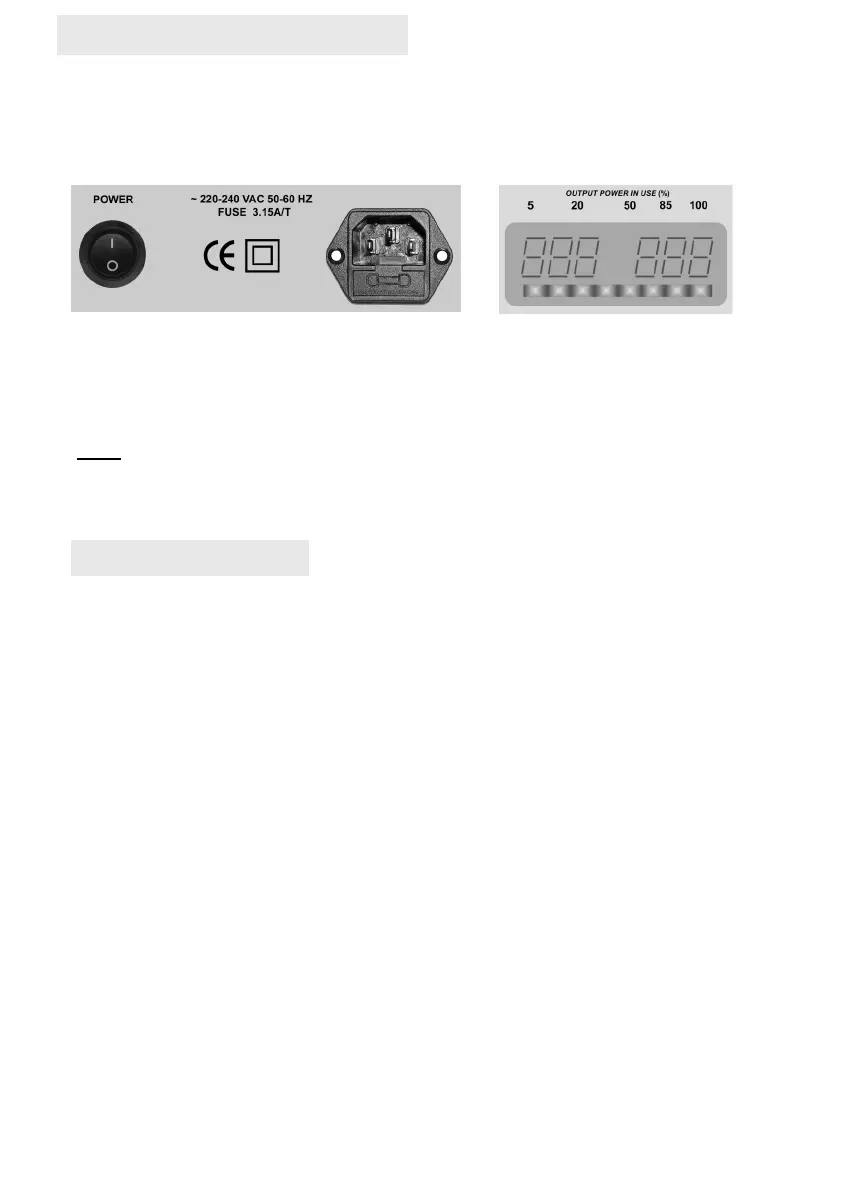
The digital display on the rear panel shows that the unit is powered and the amplifier is ready for
use. Please note that the display will remain lit for a short while following switch-off whilst the
power is dissipated from the internal power supply. The fuse is located below the main input
connector. The fuse should only be replaced, when required, with one of the same type and
rating as installed.
NOTE
If the sub bass system is to be in sleep mode for extended periods then it is advised that the
system main power switch is turned off. This will ensure the complete isolation of mains power
to the circuits and result in zero power consumption. Please ensure that the system is powered
off via the power switch when making and disconnecting all input cables.
POWER
Output Meter
On the display window there is a series of LED’s which light-up as power output is increased.
This is intended as a guide only and provides an indication of how hard the system is working.
Connect your subwoofer to your audio system using the low level phono interconnect supplied to
the LFE input or the supplied high level lead. Both connections can be made simultaneously.
Please refer to the separate instructions for the high level lead connection.
Please ensure:
All control settings are as follows:
gains at OFF, 0° phase, and 120hz frequency contour
on first power-up. (Default factory setting)
Music Material
After powering up the sub, audition a piece of music you are familiar with and set the main audio
system volume to your normal listening level. Slowly increase the appropriate gain control on
your Reference Series to read -40. You should now be experiencing sub-bass in your overall
mix. How much bass output is determined by the setting of the gain control relevant to each
input.
Now adjust the relevant frequency contour until you hear the subwoofer output the bandwidth of
bass frequencies your main speakers lack. For example, most large main speakers start to roll
off the bass output at around 40hz – 80hz so this is where the subwoofer should take over.
Movies
After powering up the sub, audition a movie you are familiar with and set the main audio system
volume to your normal listening level. Slowly increase the LFE gain control on your Reference
Series to read -40. You should now be experiencing the LFE channel. How much output is
determined by the setting of the gain control relevant to the LFE input.
Now adjust the LFE frequency contour until you hear the subwoofer output the LFE bandwidth.
In the case of LFE the setting to start at is 80hz.
Further fine tweaking can be made as you become more familiar with the controls and
adjustments. Visit our detailed setup procedures on our web site.
SET-UP HINTS & TIPS
03/2023 (REF– GEN)


 To Next Page
 Loading...