5
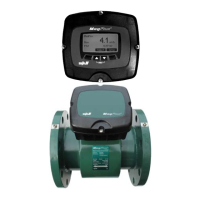
Electromagnetic Flow Meter
FW: 841012/842009
Display Setup .......................................................95
Language .........................................................96
Set Clock .........................................................97
Modbus . . . . . . . . . . . . . . . . . . . . . . . . . . . . . . . . . . . . . . . . . . . . . . . . . . . . . . . . . . 98
Factory Settings ....................................................99
Display SW Version . . . . . . . . . . . . . . . . . . . . . . . . . . . . . . . . . . . . . . . . . . . . . . . .100
8. Mechanical Dimensions 101
Standard Flanges - EN-1092-1:2001 - Europe ............................101
Standard Flanges - ANSI B 16.5 - U.S.A. ................................102
Standard Flanges - AS-4087-2004 - Australia . . . . . . . . . . . . . . . . . . . . . . . . . . . . 103
Standard Flanges - AS-4087-2004 (cont'd) ...............................104
Standard Flanges - AS-4087-2004 (cont'd) ...............................105
Appendix A. Pop-up and Error Messages 107
Appendix B. MJK-Field Link Software 111
Important Notes! ..................................................111
A. Connect a PC to the Flow Meter ....................................111
B. Save Log Data . . . . . . . . . . . . . . . . . . . . . . . . . . . . . . . . . . . . . . . . . . . . . . . . . 113
C. Upgrade Display Firmware . . . . . . . . . . . . . . . . . . . . . . . . . . . . . . . . . . . . . . . . 113
D. Upgrade Converter Firmware . . . . . . . . . . . . . . . . . . . . . . . . . . . . . . . . . . . . . . 115
E. Install/Add Languages ............................................116
Appendix C. FAQs - Frequently Asked Questions 117
Appendix D. Front Panel Cut-out Drawing 120
Appendix E. Test Certificate 121
Appendix F. Log Files 122
Appendix G. Digital Input/Output Connections 125
Main Menu Overview 126
Converter Setup Menu Overview 128
Service Menu Overview 138
Display Setup Menu Overview 142
Index Index-1


 To Next Page
 Loading...