Need help?
Do you have a question about the MJX R/C Bugs 12EIS and is the answer not in the manual?
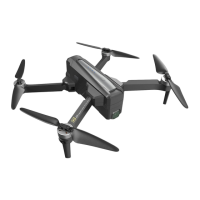
Overview of Bugs 12EIS drone, its GPS/optical flow systems, intelligent flight modes, and 4K video capability.
Steps to unfold the aircraft from its folded state for flight preparation.
Identifies key components of the aircraft, including power switch, propellers, and camera.
Identifies key components of the remote controller, such as sticks, buttons, and LCD screen.
Explains GPS mode and optical flow positioning mode for stable flight.
Table detailing indicator light patterns and their corresponding meanings for the aircraft.
Explains how the Home Point is recorded and its role in RTH.
Guides on initiating Smart RTH using the remote controller or the M RC PRO APP.
Details the automatic return home function triggered by low battery levels.
Details the vision positioning system's function in indoor environments with weak GPS.
Lists situations where the optical flow system's precision can be affected and precautions to take.
Information on the aircraft battery capacity, charging, and usage.
Step-by-step guide on how to attach propellers to the aircraft motors.
Instructions on how to safely detach propellers from the aircraft motors.
Overview of the remote controller's functions and status indicators.
How to switch between GPS and Gesture modes using the GPS button.
Details the icons and information displayed on the remote controller's LCD screen.
How to use the gimbal trimmer to adjust the camera's tilt angle.
Instructions for taking photos and recording videos using the controller.
Instructions for using the one-key takeoff and landing functions.
How to activate and cancel the one-key Return to Home function.
Explains the low battery warnings displayed on the LCD and their implications.
Indicates the warning for low battery in the remote control and its associated sound.
Explains the signal strength bar and its meaning.
Guidance on maintaining optimal signal strength for a good flight experience.
Details the two throttle control stick modes and their functions.
Step-by-step instructions on how to switch between throttle control modes.
Step-by-step instructions for installing the mobile phone holder onto the remote controller.
Information on where to download the "M RC PRO" APP for FPV transmission.
Steps to connect the mobile device and APP to the aircraft's camera via WiFi.
Explains how photos and videos are saved, with or without a TF card.
Guidelines for choosing a suitable and safe flight environment.
Information on altitude, distance limits, and GEO zones for safe operation.
Checklist of essential steps before flight for safety and readiness.
Steps to establish signal connection between aircraft and remote controller.
Procedure for geomagnetism calibration before unlocking the drone.
Explains horizontal and vertical calibration steps for the compass.
Instructions for performing gyroscope calibration if needed.
Steps to unlock the aircraft for flight and lock it afterward.
How to perform an emergency stop of the aircraft.
Basic steps for conducting a test flight of the aircraft.
Sequential steps for performing a basic flight operation from takeoff to landing.
Tips and suggestions for capturing better video footage.
Detailed technical specifications and parameters for the aircraft.
Technical specifications for the remote controller and the mobile application.
Lists all the parts included in the product package.
Important disclaimers, warnings, and age applicability for operating the aircraft.
Comprehensive safety guidelines for operating the drone responsibly and safely.
 General
| Brand | MJX R/C |
|---|---|
| Model | Bugs 12EIS |
| Category | Quadcopters |
| Language | English |

 To Next Page