#cloud server port
>cfg_cloud_port:10086
3 Firmware update
3.1 Copy the latest upgrade program to the SD card root directory, upgrade procedures include:
3.2 Attention matters
A. The filename is not modifiable, or it will cause an update failure;
B. After the successful upgrade of the program, the filename will change;
C. Can view the current motherboard firmware and WiFi firmware version number in the about inside;
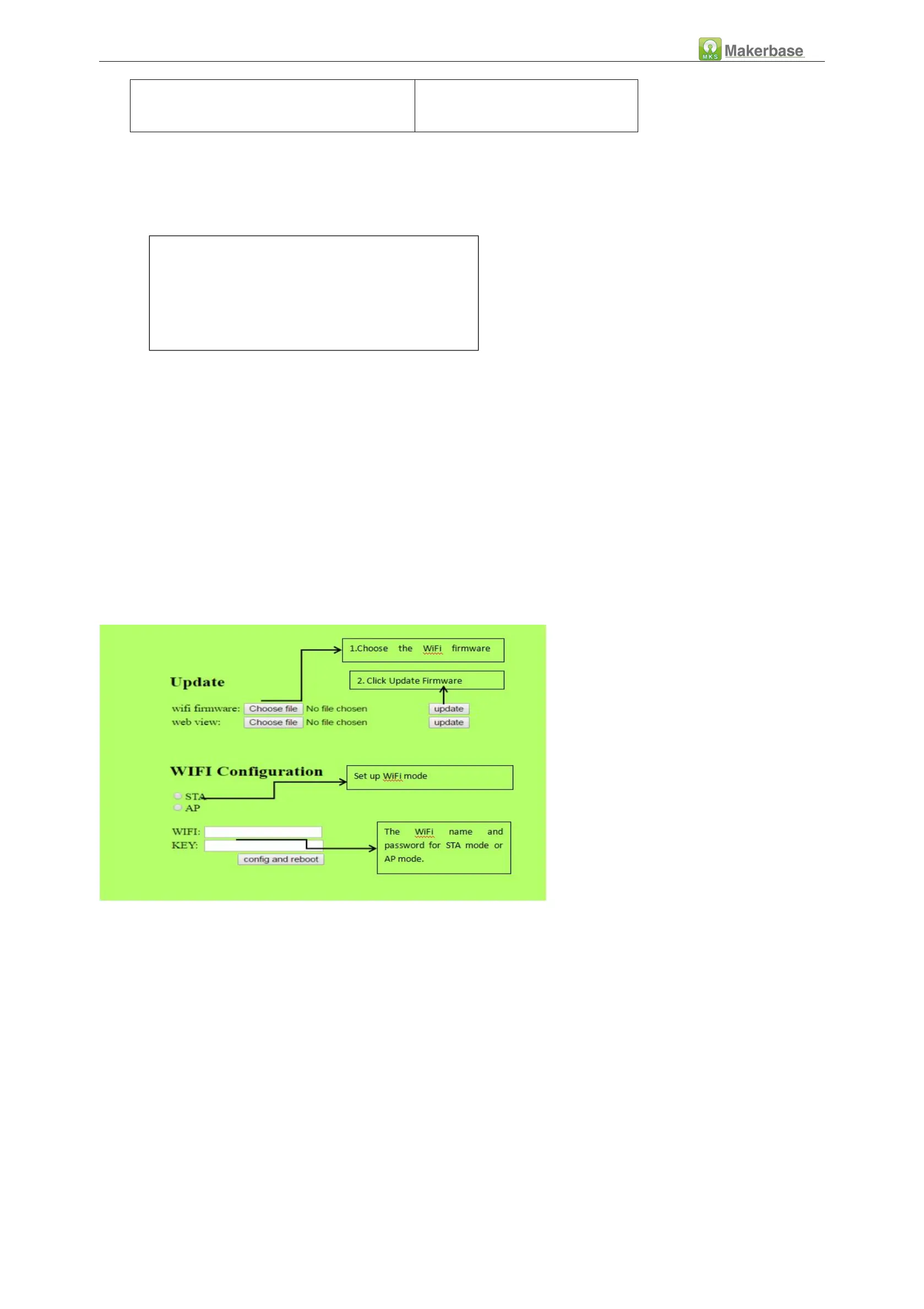
3.3 WiFi firmware update can also be updated through the web side, in the same LAN, in the Computer browser
input IP address, access to the Web page update firmware interface, the following figure:
Configuration file:robin_nano_cfg.txt
Motherboard firmware:robin_nano.bin
WiFi firmware:MksWiFi.bin


 To Next Page