Instructions for use
20 CLIMACELL EVO_np_en_1401_mmm_V1.01
Notes:
- Decontamination is not possible in some versions of the
device as the high temperature could damage some
parts of the device and that is why it is factory blocked.
- Decontamination is blocked for the version with
exposition lighting.
Warning:
Before start of the decontamination program it is
absolutely necessary to take out of the device all and
any objects and accessories that could be damaged or
destroyed by high temperature infl uence!
These include mainly:
● tested samples
● racks with exposition lighting
● lighting intensity sensors
● CO
2
sensor.
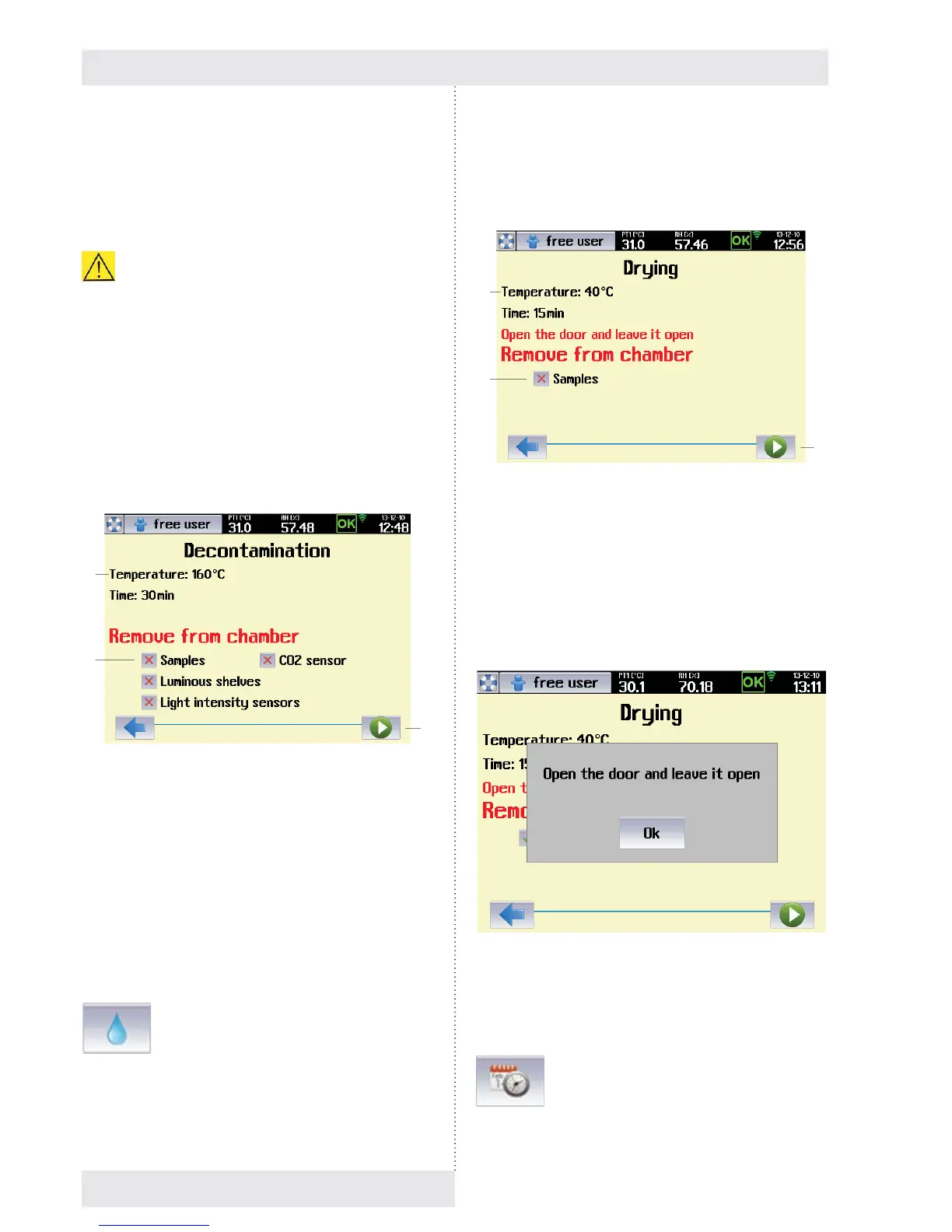
After selection of decontamination (Fig. 24) there will be
displayed a menu for the decontamination program start:
Fig. 26
(1) Decontamination program parameters.
(2) Warning regarding objects that must be taken out of
the device.
(3) Decontamination program start.
Note:
Options (1), (2) must be ticked, otherwse it is not possible to
start the program..
8.3.5.3 DRYING
→ Drying
Drying removes in an optimal way all and any residuals of
condensed humidity from the chamber of the device.
● In the course of drying, the fan revolutions are set to
100 % and temperature in the chamber is kept around
40 °C. Before start of drying it is necessary to take out of
the device all and any material that could be damaged
by the above stated temperature.
Fig. 27
(1) Drying parameters.
(2) Warning of the material that must be taken out of the
device.
(3) Start of drying.
Note:
So as to reach intensive chamber ventilation it is required
for the door of the device to be open before start of drying.
Fig. 28
8.3.6 CURRENT DATE AND TIME
SETTING
(1)
(2)
(3)
(1)
(2)
(3)



 To Next Page