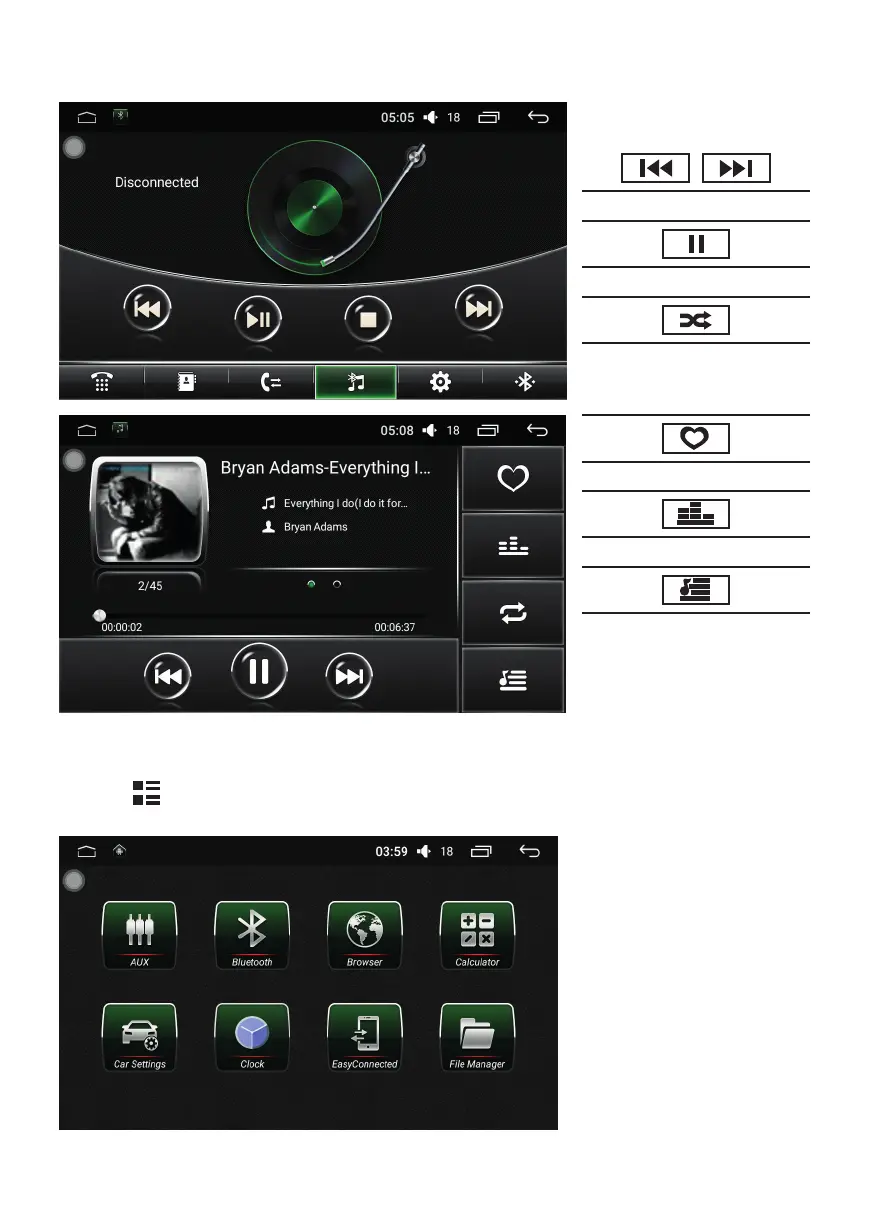
MUSIC PLAYER:
To play from USB/SD the following control panel will appear.
To acces the functions touch
the icons!
Skip to next or last le.
Play or pause
Play modes: randomized,
continuous, replay song,
replay directory
Tag as favorite
Access audio settings.
Audio le manager
OTHER MENUS:
Touch the
icon then swipe the display left to access other applications:
• AUX - Audio-video AUX input
• Settings – Android operating
system settings
• Bluetooth – Access Bluetooth
connection, contact list,
synchronize, accept or initiate call
• Browser – Access the internet
• Car Settings – Settings connected
to the vehicle
• Easy Connected – Fast Bluetooth
or Wi-Fi connecting with smart
devices
• Equalizer – Audio Settings
• File Manager – File manager


 To Next Page