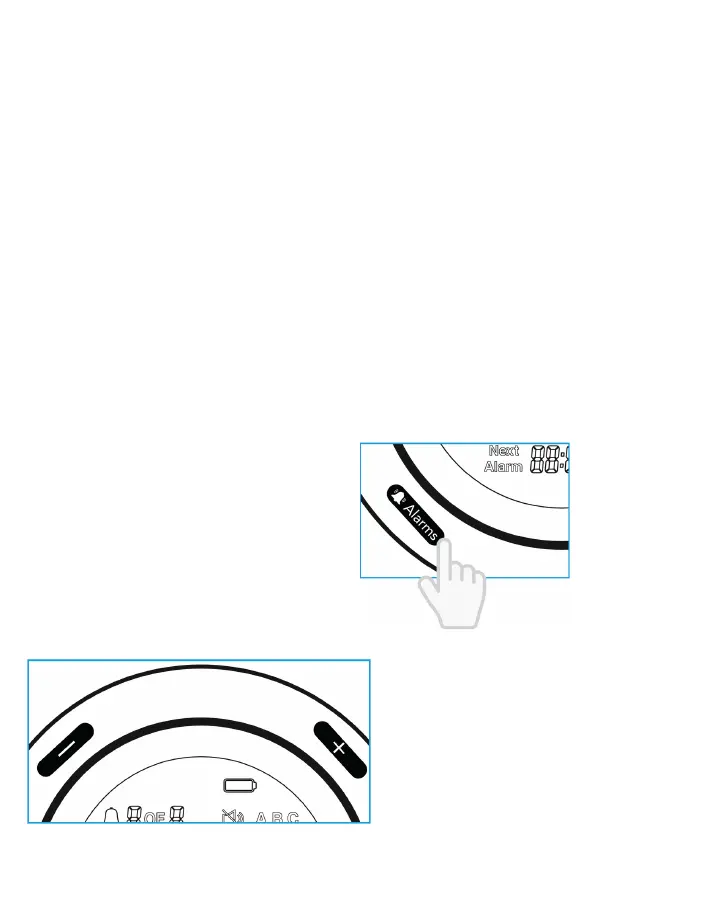
Use the + or - button to adjust the minute, similar to the hour. Note
Press the CLOCK button to exit time settings with changes saved, or
press and hold the CLOCK button for two (2) seconds to cancel the
setting change and exit out of the time setting.
1.
2.
3.
4.
NOTE: The digits on display will flash to indicates which digits are
currently being changed.
Use the + or - button to adjust the minute, similar to the hour.
1.
2.
3.
NOTE: Pressing and holding the + or - button will cause the hour or
minute digits to move faster.
10
s
p
Press the "+" or "-" to adjust
the hour. Then, press the
"ALARM" button to confirm
the hour and set the minute.
Press the "+" or "-" button to
adjust the minute, similar to
the hour.
1.
2.
3.
4.
Setting the Alarm
Press the"ALARM" button to start the alarm time setup.
Press the "+" or "-" to select between an alarm, then press the
"ALARM" button to confirm.
1.
2.
NOTE: Pressing and holding
the "+" or "-" button will cause
the hour minute digits to move
faster. The digits on display will
flash to indicate they are
currently being changed.


 To Next Page