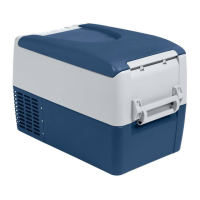
FR35 AC/DC Operation
11
Connection sockets (fig. 3, page 3):
6 Operation
6.1 Before initial use
I
Mounting the handles
The handles are enclosed unassembled. If you wish to attach the handles,
proceed as follows:
➤ Make a handle by putting two holders (fig. 4 1, page 4) and a handle
(fig. 4 2, page 4) together.
➤ Fasten the grip with the enclosed screws in the holes provided.
Selecting the temperature units
You can switch the temperature display between Celsius and Fahrenheit.
This is how to do it:
➤ Switch on the cooler.
➤ Press the “SET” button (fig. 2 4, page 3) twice.
➤ Use the “+” (fig. 2 6, page 3) and “–” (fig. 2 7, page 3) buttons to select
Celsius or Fahrenheit.
✓ The selected temperature units then appear in the display for a few sec-
onds. The display flashes several times before it returns to the current
temperature.
Item Description
1 Connection socket AC voltage supply
2 Fuse holder
3 Connection socket DC voltage supply
NOTE
Before starting your new cooler for the first time, you should clean
it inside and outside with a damp cloth for hygienic reasons
(please also refer to the chapter “Cleaning and maintenance” on
page 16).


 To Next Page
 Loading...