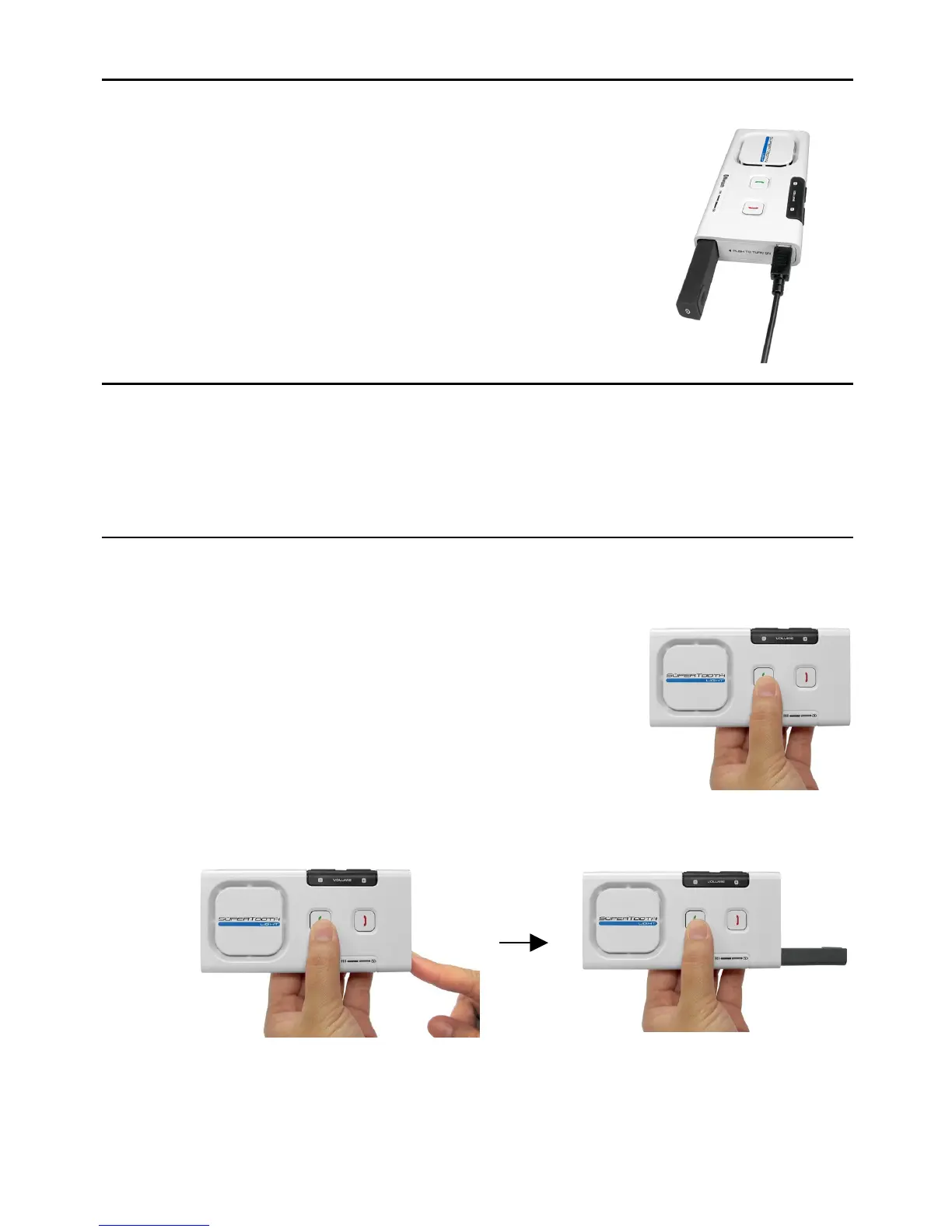
Charging
When the Bluetooth Indicator (3) turns red, the battery of the kit is low. Charge
the unit.
1. Connect the charger’s plug into the Charger Port (9)
of the SUPERTOOTH LIGHT. Connect the charger to
an external power source.
Charge Indicator (4) Status:
Steady red: Charging
Steady green: Full Charge
2. When fully charged, disconnect the charger.
Power On/Off
Power On: Press-and-release the Microphone Shaft (5).
Power Off: Push the Microphone Shaft (5) in.
Pairing to your Bluetooth Mobile Phone
Pair the SUPERTOOTH LIGHT to your Bluetooth mobile phone to create the link
or audio connection between the two. This has to be done only at the first
connection to a new phone.
1. From OFF, press and hold the Accept Button (1).
2. While holding the Accept Button (1), switch the kit on (Press-and-release
the Microphone Shaft (5)).
3. When the Bluetooth Indicator (3) turns blinking red/blue, release the
Accept Button (1). The kit is now in pairing mode.


 To Next Page