4. While the kit is in pairing mode, access the Bluetooth menu of your phone.
Turn on the Bluetooth function then execute a Bluetooth search, or
discover. (See your phone’s manual.)
5. When the phone displays the list of Bluetooth devices, select ST LIGHT.
6. When the phone asks for the password, enter 0000 and press Ok.
Important Note: The kit is paired now. Most phones automatically connect
to the kit after pairing. With some phones you need to connect manually
after pairing.
Go back to Bluetooth > Paired devices > highlight ST LIGHT > press
Options > then press Connect.
The kit is now ready to use.
Installation
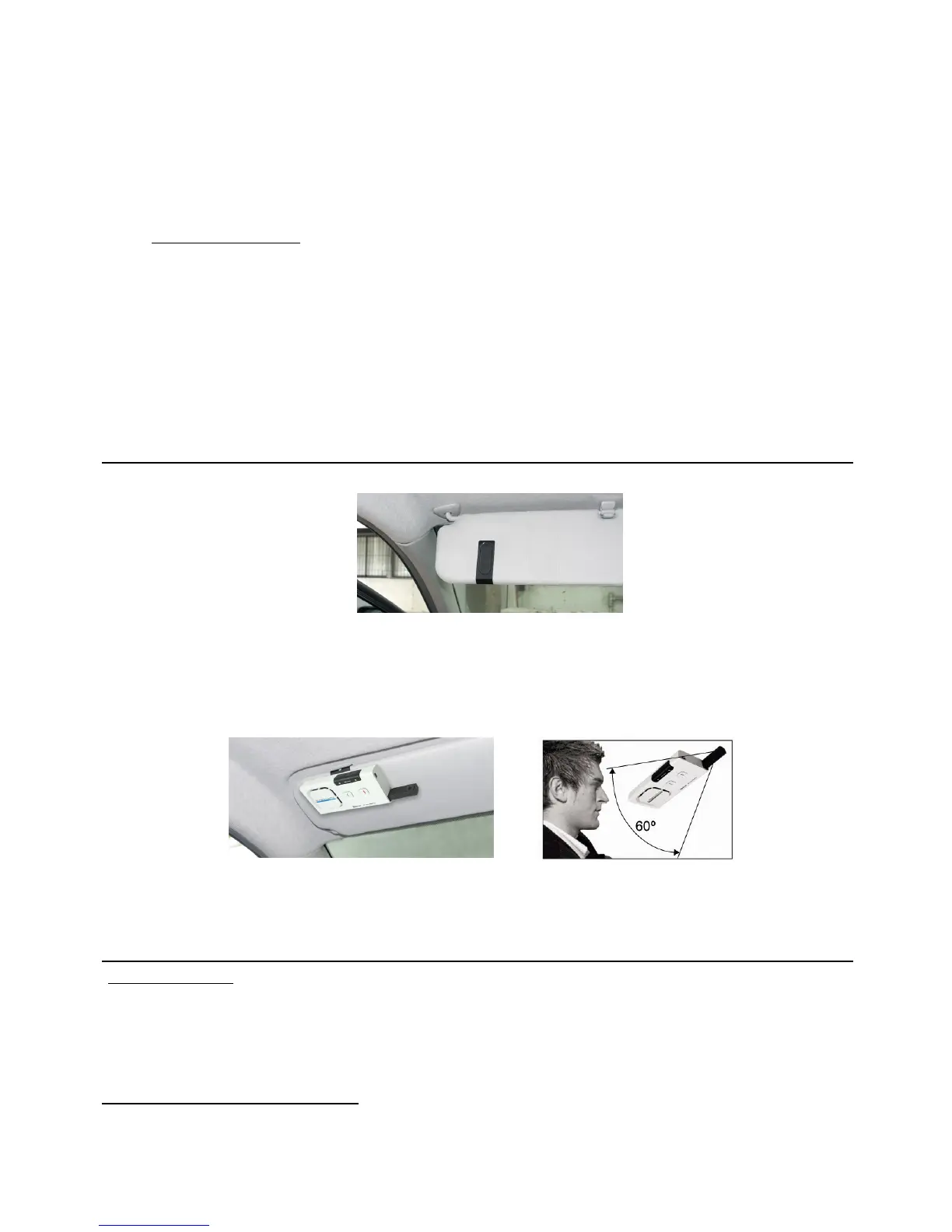
Fix the metal clip of SUPERTOOTH LIGHT on the sun visor.
Attach the magnetic back of SUPERTOOTH LIGHT to the fixed metal clip. The
SUPERTOOTH LIGHT must be placed in such way that its microphone is
directed to the mouth of the user.
Basic Operations
IMPORTANT:
The kit needs to be ‘paired’ to your Bluetooth mobile phone first, before you can
use the following functions. See Pairing to your Bluetooth Mobile Phone on
page 3.
Make a Call (Normal Dial):
Dial the number on your phone. Audio will automatically be on the kit.


 To Next Page