
 Need help?
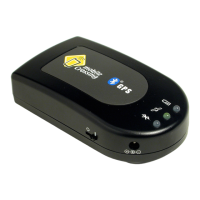
Do you have a question about the Mobile Crossing BLUETOOTH GPS and is the answer not in the manual?
Guidance on finding a suitable location and securing the GPS unit in a vehicle.
Details on establishing a serial Bluetooth connection and pairing the device.
Instructions for connecting the GPS to PDA devices, including serial port support.
Guidance for connecting the GPS to laptops and tablet PCs, including adapter use.
Steps for initial GPS usage, including charging and finding a location fix.
Practical advice for optimal GPS performance and signal reception.
Explanation of the status indicators (LEDs) and their meanings for the GPS unit.
Configuration options within the GPSInfo software, including COM port and Baud rate.
Understanding the GPS Info screen, including satellite maps and fix quality data.
Technical details of the GPS receiver, including accuracy, operating conditions, and power.
Compliance information regarding FCC rules for digital devices and potential interference.
Information on CE marking and compliance with EU directives for product safety and telecommunications.
Essential safety guidelines for using the GPS receiver to prevent injury and damage.
 General
| GPS Receiver | SiRF Star III |
|---|---|
| Bluetooth Version | Bluetooth 2.0 |
| Battery Type | Rechargeable lithium-ion battery |
| Charging Time | 3 hours |
| Operating Range | 10 meters |
| Operating Temperature | -10°C to 60°C |
| Channels | 20 |
| Storage Temperature | -20°C to 70°C |

 To Next Page