3
EN
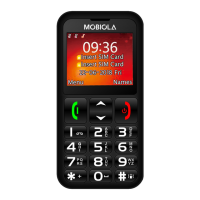
Press and hold the power key (10) to turn on the device. If the
device prompts for a PIN code, enter it and select OK or press “#”
key. Press and hold the power key (10) and conrm it by le
selecon key (3) to power o the device.
Use Lock/Unlock switch (9) to lock/unlock keypad.
Enter the phone number by numeric keypad (5) or choose con-
tact from list and press Opons (3) > Call to start calling.
Call/Le
selecon key
(3)
Enter to menu. Conrm. Answer incoming call.
End/Power/
Right selec-
on key (10)
Long press: Switch on/o. Short press: End call.
Back to standby mode.
Back. Typing text: clear characters. Standby
mode: Contacts. Incoming call - silent.
Arrows (4) Move in menu, contacts, texts, etc. Calling:
adjust volume.
Standby mode: ↑ - Call history, ↓ - Contacts.
“0“ Typing text: space between words.
“5“ Camera: capture. Video recorder: record/stop.
Music player: Play/Stop.
“*“ Standby mode: enter characters (*, +, P, w)
Typing text: special characters or punctuaon
marks. FM radio, Music: decrease volume.
“#“ Long press: Switch between General, Silent and
Meeng proles. Typing text: switch between
character cases. FM radio, Music: increase
volume.


 To Next Page