...............................................................................................................................................................................................................................................
Note: This guide does not replace the user manuals.Page 13-16
STEP 2 - AIRO PENDANT
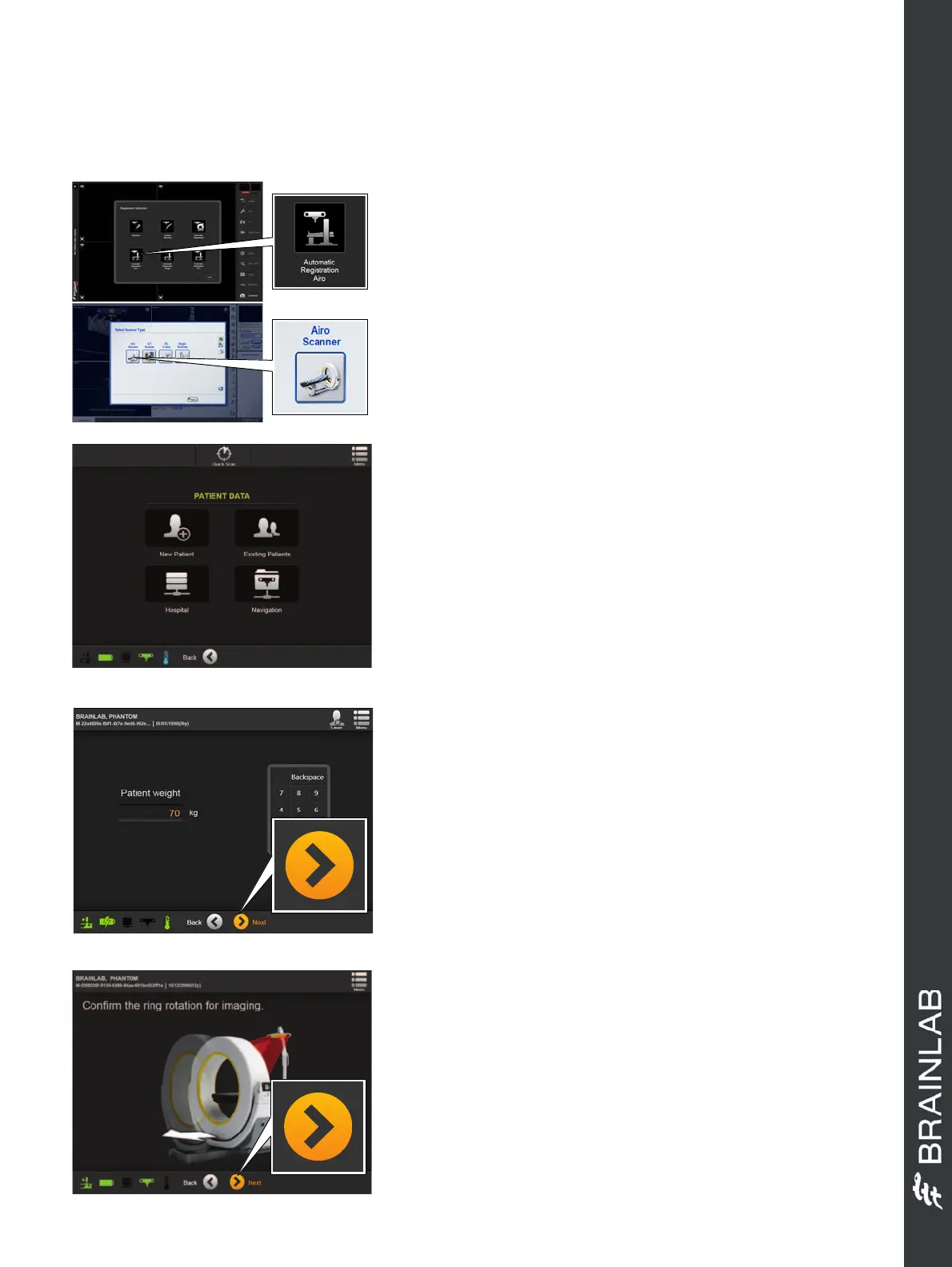
• Select
New
Scan
from the
WELCOME
screen.
• Select
New Patient
from the
PATIENT DATA
screen (Select one of the other available options to
load a pre-existing patient name and ID).
• For new patients, enter patient data as prompted on
screen.
• Select
Next
.
SCAN PATIENT
STEP 1 - CURVE SETUP
•Start
Curve Navigation System
.
• Select your software application on
Curve
:
- Within
Cranial Navigation
Select
Register
>
Automatic Registration Airo
- Within
Spine & Trauma Navigation
Select
Register
>
New Scan
>
Airo Scanner
NOTE: No user interaction on
Curve
is required
during the registration workflow.
STEP 3
• Enter the patient’s weight as prompted.
Airo
automatically calculates the dosage based
on the patient’s weight.
• Select
Next
.
NOTE: 110lbs/50 kg is the minimum dose weight.
Any weight below this will receive the 110lbs/50 kg
dose.
NOTE: Maximum load for the table top is 400lbs/
180 kg.
STEP 4
• Ensure the camera is in range.
• Ensure the markers on the gantry are visible to the
camera.
• Select
Next
.
NOTE: A typical OR setup has the camera
positioned at the base of the table. During scanning
the gantry moves away from the camera.
Hardware: Airo and Curve


 To Next Page
 Loading...
