Note: This guide does not replace the user manuals.Page 8-16
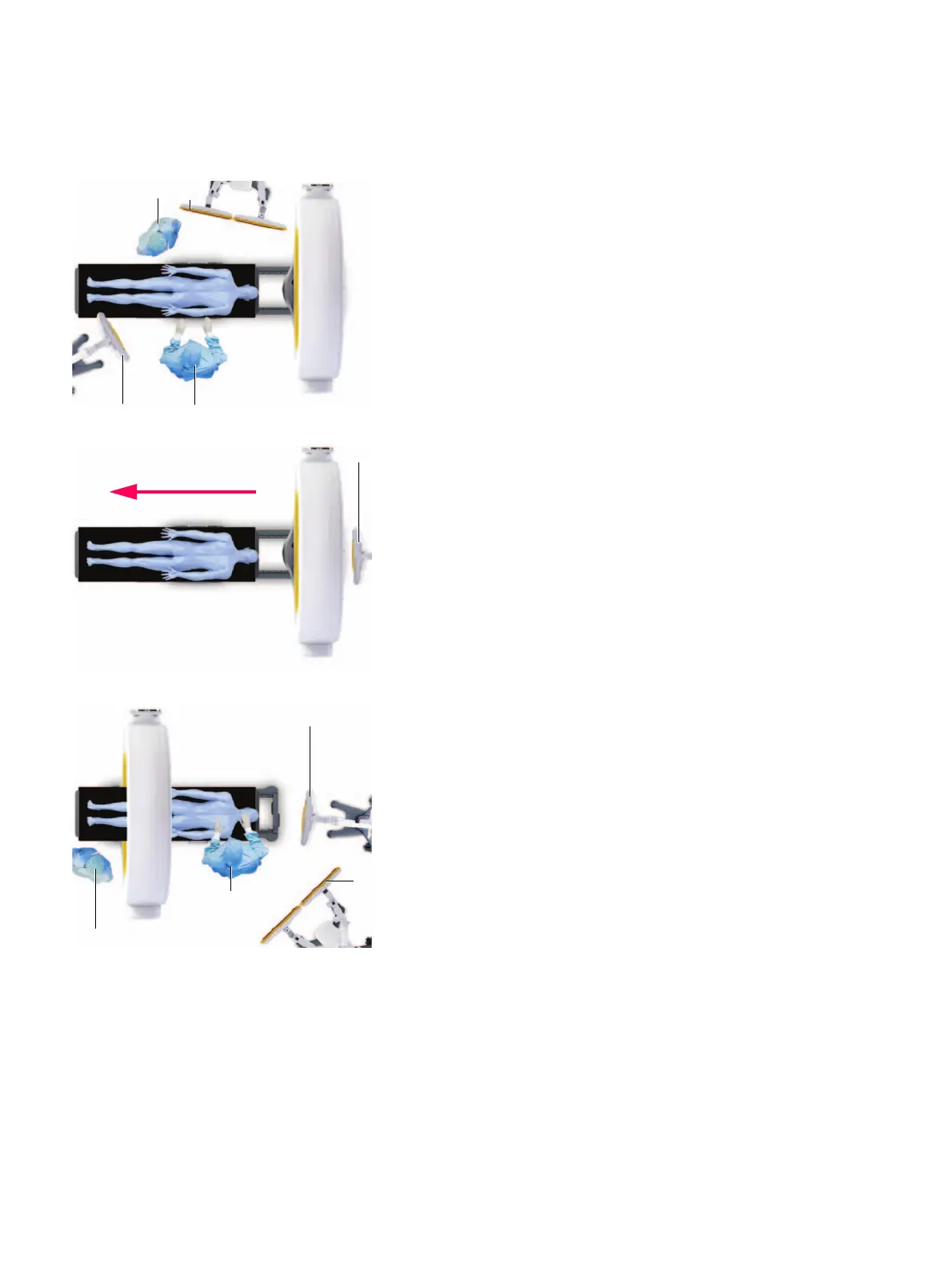
OPERATING POSITION 3 - CLOSE PROXIMITY
• Move gantry f to the end of the rail and away from
the patient.
• Keep the patient in the original scanning position.
• Reposition the camera a.
• Ensure the equipment and medical staff are all
correctly positioned: Anesthesiologist s, monitor d,
surgeon g.
NOTE: The surgeon must stand clear of the
unsterile gantry.
SCAN DIRECTION - STB
SCANNING POSITION - HEAD FIRST
• Position the camera a at the head of the table.
• Position the patient on the table with the head facing
towards the camera.
• Remove the pendant and go to a safe area.
• Halt respiration immediately prior to scanning.
• Press and hold the
Scan
button during scanning and
follow prompts from the pendant.
OPERATING POSITION 4 - NO ROTATION
• Keep the patient in the original scanning position.
• Position the patient mid-way in the gantry s.
• Ensure the equipment and medical staff are all
correctly positioned: Anesthesiologist a, camera d,
monitor f and surgeon g.
NOTE: The surgeon is positioned between
Airo
and
the camera. The surgeon must stand clear of the
unsterile gantry and camera as space is limited.


 To Next Page
 Loading...
