...............................................................................................................................................................................................................................................
Note: This guide does not replace the user manuals.Page 9-16
Hardware: Airo
BEFORE SCANNING
• Avoid crossing a patient’s eyes with the positioning
laser.
Ensure that:
•Markers on
Airo
are visible to the camera.
• Staff have left the room or are shielded.
• Radiolucent reference array, head clamp and pins
are used.
• The relative camera and reference array positions
stay the same during the scan and during surgery.
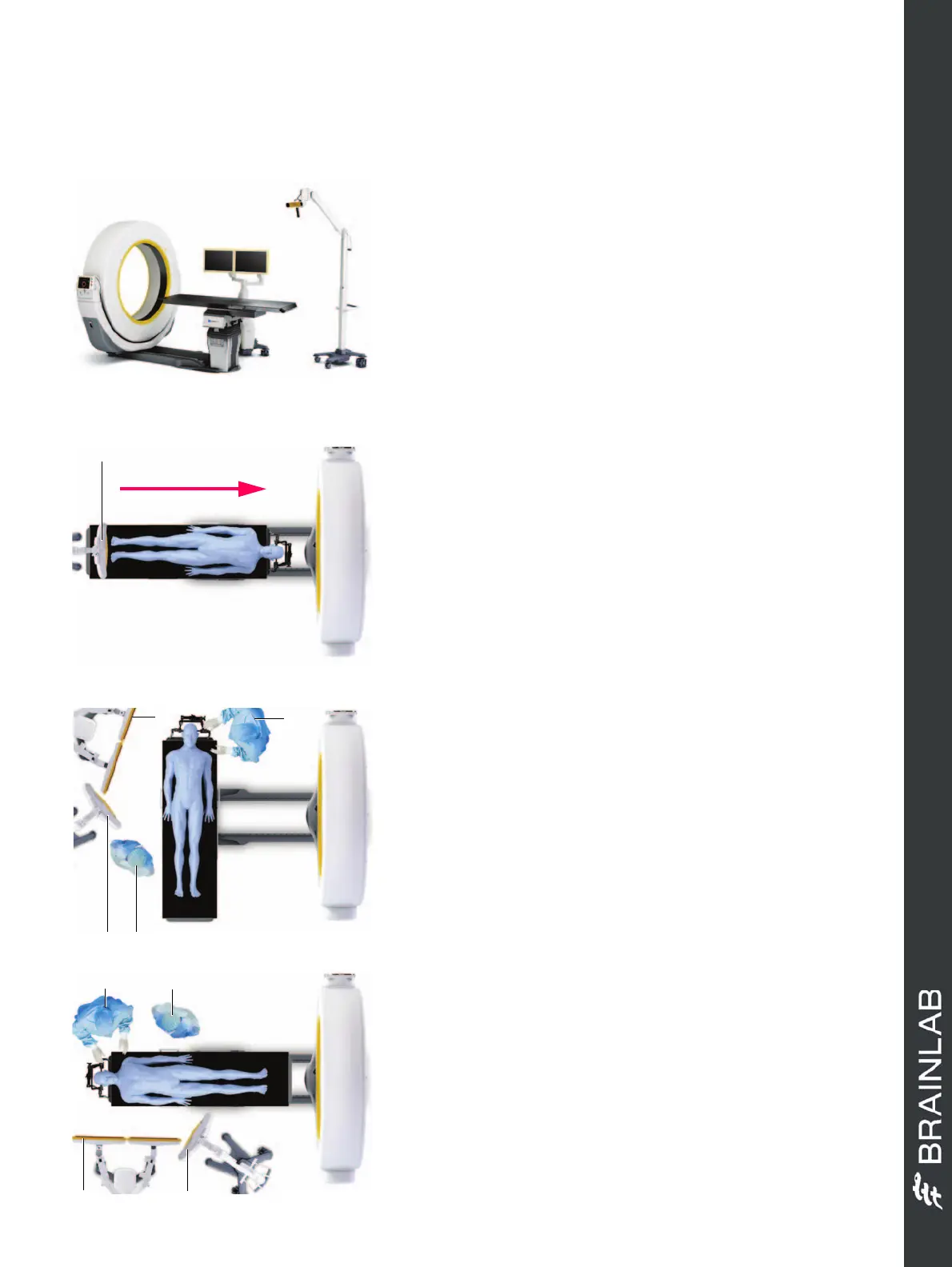
SCANNING POSITION - HEAD FIRST
• Position the camera a at the table base.
• Position the patient on the table with the head facing
away from the camera.
• Remove the pendant and go to a safe area.
• Press and hold the
Scan
button during scanning and
follow prompts from the pendant.
OPERATING POSITION 1 - ROTATED 90 DEGS
•Move gantry g to the end of the rail and away from
the patient.
• Rotate the table 90 degrees.
• Ensure the equipment and medical staff are all
correctly positioned: Anesthesiologist a, camera s,
monitor d and surgeon f.
OPERATING POSITION 2 - ROTATED 180 DEGS
•Move gantry f to the end of the rail and away from
the patient.
• Rotate the table 180 degrees.
• Ensure the equipment and medical staff are all
correctly positioned: Monitor a, surgeon s,
anesthesiologist d and camera g.
OR SETUP (CRANIAL)
Ensure the area is safe for X-ray exposure.


 To Next Page
 Loading...
