4. Manual configuration using a text file
With firmware version 0.80 and above the parameters can be set by using a text file.
This makes it possible to set the parameters using virtually any computer system.
Previous firmware versions did not support this functionality. The text file must be
named "SysCfg2C.txt" and must be located in the card's root folder.
You may use any ASCII editor, for example Notepad, to modify the parameters. The
"SysCfg2C.txt" must be in plain ASCII, it must not be in Unicode. If you don't know
what a root folder is, or you don't know what ASCII is or don't know how to manually
edit ASCII files please use mSetup.exe or the method using an external monitor
outlined above.
A "SysCfg2C.txt" first needs to be created by the camera. The camera's parameters
are self explanatory, but be aware that the camera will not perform as expected or
may even freeze if invalid values are set. It is much safer and easier to use one of the
setup programs which will always configure the camera correctly.
The "SysCfg2C.txt" file can be automatically created as follows:
1. Disconnect the camera from the PC and turn it off.
2. Make sure a card is inserted. The card must be correctly formatted, and not full.
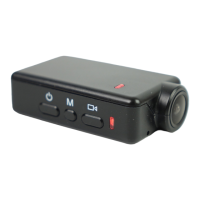
3. Press and Hold Down the Mode button (top right). DO NOT RELEASE the
button until step 7.
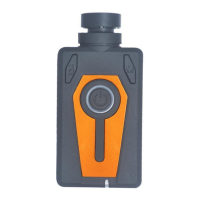
4. Press and Hold Down the Power button (large button in the top center). The
LEDs will start to blink.
5. After a few seconds there will be a steady yellow LED.
6. Wait about 2 seconds to be sure no other LEDs blink.
7. Release the Mode button and then the Power button. If you release the Mode
button after the Power button the firmware will switch to Mode 2 (blue LED)
because it thinks you have pressed the Mode button.
There should now be a "SysCfg2C.txt" file containing the camera's current settings in
the card's root folder. This file can be edited as explained above.
Don't forget to save the file before "safely removing" the camera. The camera can
now be disconnected from the computer.
Use the exact same sequence as outlined in steps 1 through 7 above to load the new
settings back into the camera. Once the "SysCfg2C.txt" has been correctly loaded by
the firmware it will be automatically deleted from the card's root folder.
►On rare occasions you may wish to keep the original configuration file in order to
set the camera's parameters to specific values. In this case you should use the
operating system to set the file's attribute to "Read-Only". You may then use different
cards containing different parameter settings.
Using Software to configure the camera
The Windows program mSetup.exe will automatically configure the camera with the
parameters you require (see above). It will also accurately set the camera's date and
time or allow you to format the SD card. Detailed instructions can be found in the
program by clicking the "Help" button. The camera must be in Webcam mode in order to
set the parameters. The official WiFi app allows you to configure the camera or format
the SD card from your smart phone (Android 5.0 and above or iOS 8.0 and above).


 To Next Page