76
M16 Camera Manual: Operating The Camera
3 OPERATINGTHECAMERA
3.1 ManualandAutomaticOperation–Overview
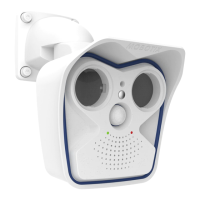
MOBOTIXcamerasdonotrequireanyextrasoware.Thus,youcansetupandoperatethe
MOBOTIX camera using a JavaScript-enabled browser on all common operating systems
(such as Windows, Linux, Macintosh, etc.). As an alternative, you can also use the MOBOTIX
application MxManagementCenter. Follow these steps to set up the camera:
1. Connect the camera to the network.
Power is supplied directly via the Ethernet cable (see Section 2.7, «Network and Power
Connection»)
2.
Establish a connection to the camera and adjust the network settings, if required.
By factory default, MOBOTIX cameras are booting as DHCP client with an additional
xedIPaddressinthe10.x.x.xrange(e.g.,10.16.0.128).Localcomputernetworksusu-
ally have IP addresses in the 172 or 192 ranges. Depending on whether a DHCP server
is present on the local network (e.g., a DSL router) or if the network has been set up to
usexedIPaddresses,thereareseveralpossibilitiesforestablishingaconnectionto
the camera and to change its network parameters:
• Network with DHCP server
– Using a browser:
If you know the IP address that the DHCP server assigned to the camera, simply
enter that address in the browser address bar to directly connect to the camera
(see Section 3.2.1, «Manually Setting Up the Network Parameters in a Browser»).
– Using MxManagementCenter:
With MxManagementCenter, you can show and integrate the camera without hav-
ing to know its current IP address (see Section 3.2.3, «First Images and Network
ParameterCongurationinMxMC»).
Download the free-of-charge
MxManagementCenterso-
ware at www.mobotix.com


 To Next Page