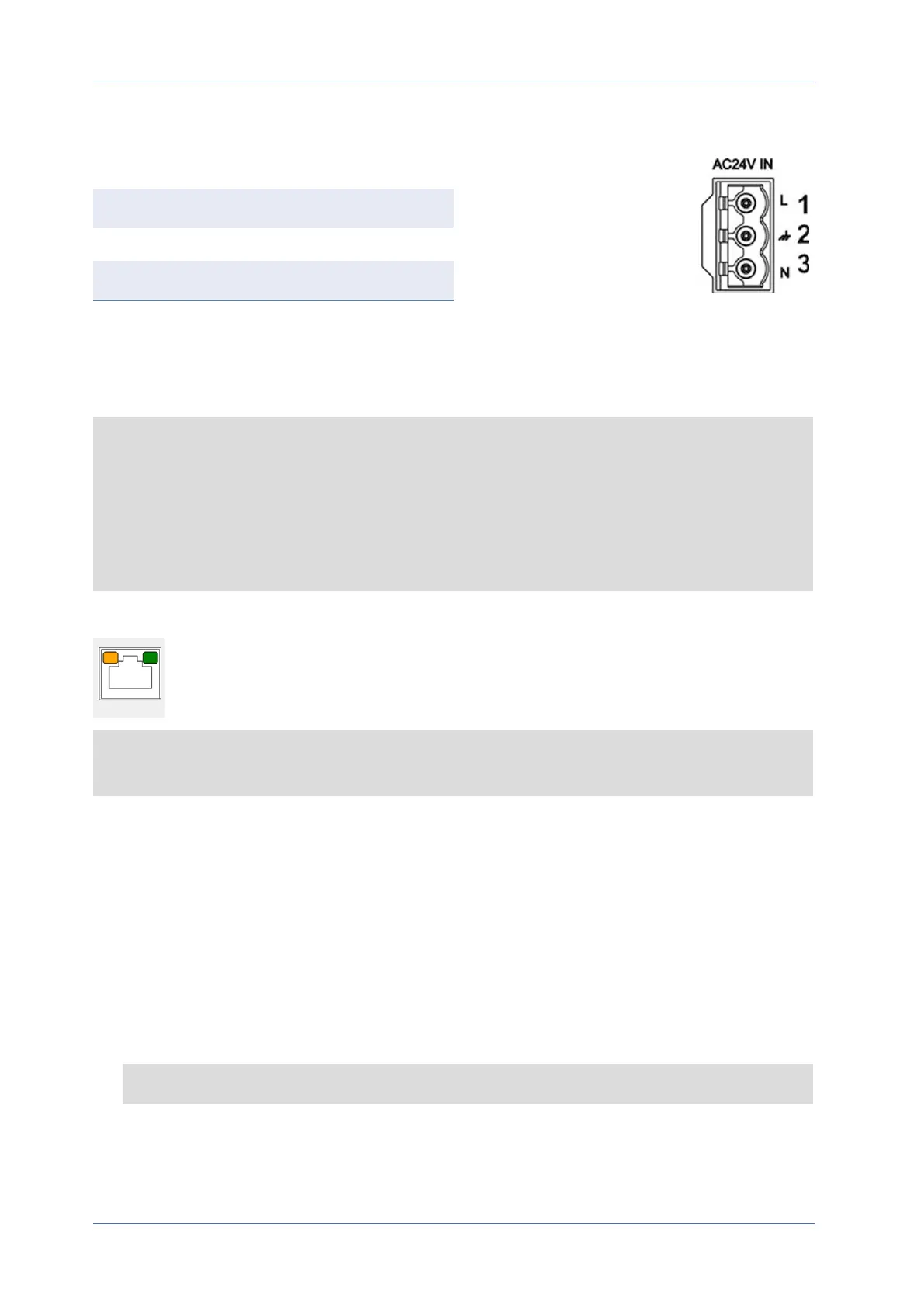
Diagram and Pin Definition for AC24V Power Connection
Pin Definition
1 AC24V L
2 GND
3 AC24V N
Ethernet Cable Connection
Connect one end of the Ethernet cable to the RJ-45 connector of the camera and plug the other end
of the cable into the network switch or PC.
NOTE!
n
The length of the Ethernet cable should not exceed 100m/300ft.
n
Check the status of the link indicator and the activity indicator LEDs of the switch. If the
LEDs are unlit, please check the LAN connection.
n
In some cases, an Ethernet crossover cable may be needed when connecting the camera dir-
ectly to the PC.
Ethernet Connector LEDs
n
Green Link LED indicates good network connection.
n
Orange Activity LED flashes for network activity indication.
NOTE! The ITE is to be connected only to PoE networks without routing to the outside plant or
equivalent description.
Accessing the Camera
The 5MP Vandal Bullet Analytics Camera supports all current browsers without requiring any addi-
tional plug-ins or add-ons (e.g. for H.264/H.265/MJPEG support).
Camera Login
The default IP address of the camera is: 10.x.x.x. By default, the camera starts as DHCP client and
automatically tries to get an IP address from a DHCP server.
1. Enter the camera’s IP address in the URL bar of the web browser and hit “Enter”.
2. Enter the default username (admin) and password (meinsm).
NOTE! User names and passwords are case sensitive.
Quick Installation 5MP Vandal Bullet Analytics Camera
5 / 9



 To Next Page