Quick Installation 5MP Vandal Bullet Analytics Camera
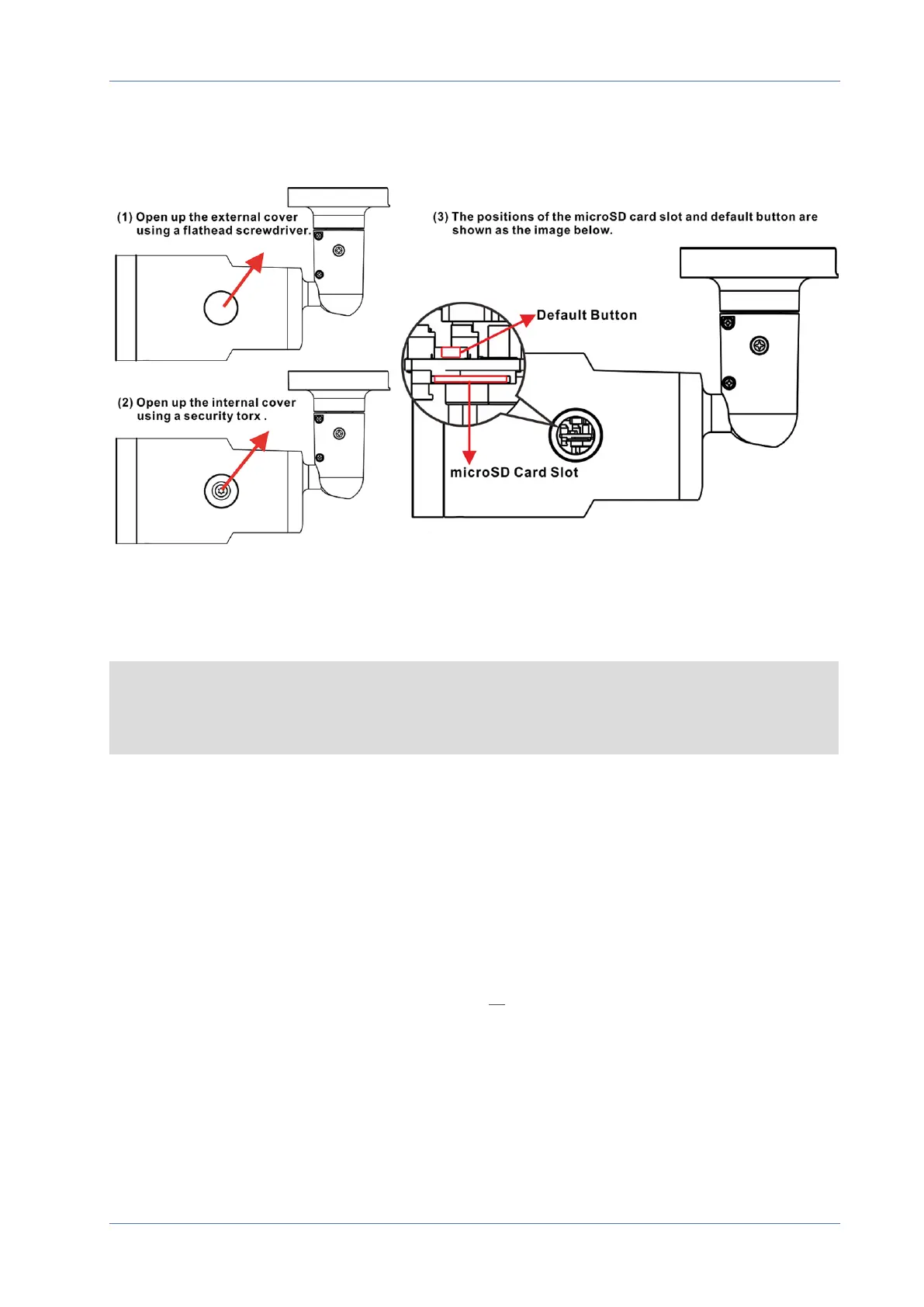
microSD Card Slot/Default Button
The positions of microSD card slot and default button are shown as below.
microSD Card Slot
Insert the microSD card into the card slot to store videos and snapshots. Do not remove the microSD
card when the camera is powered on.
NOTE! It is not recommended to record with the microSD card for 24/7 continuously, as it may not
be able to support long term continuous data read/write. Contact the manufacturer of the
microSD card for information regarding the reliability and the life expectancy.
Default Button
Press the default button with a proper tool for at least 20 seconds to restore the system.
Connecting Power
Using Power over Ethernet (PoE)
Use a PoE switch (Class0) and connect the Ethernet cable to the RJ-45 port of the camera.
Using AC24V or DC12V
To power up the camera, connect either the DC12V or the AC24V power adapter to the power con-
nector of the camera and the power outlet.
4 / 9



 To Next Page