46 47
Preset Manager
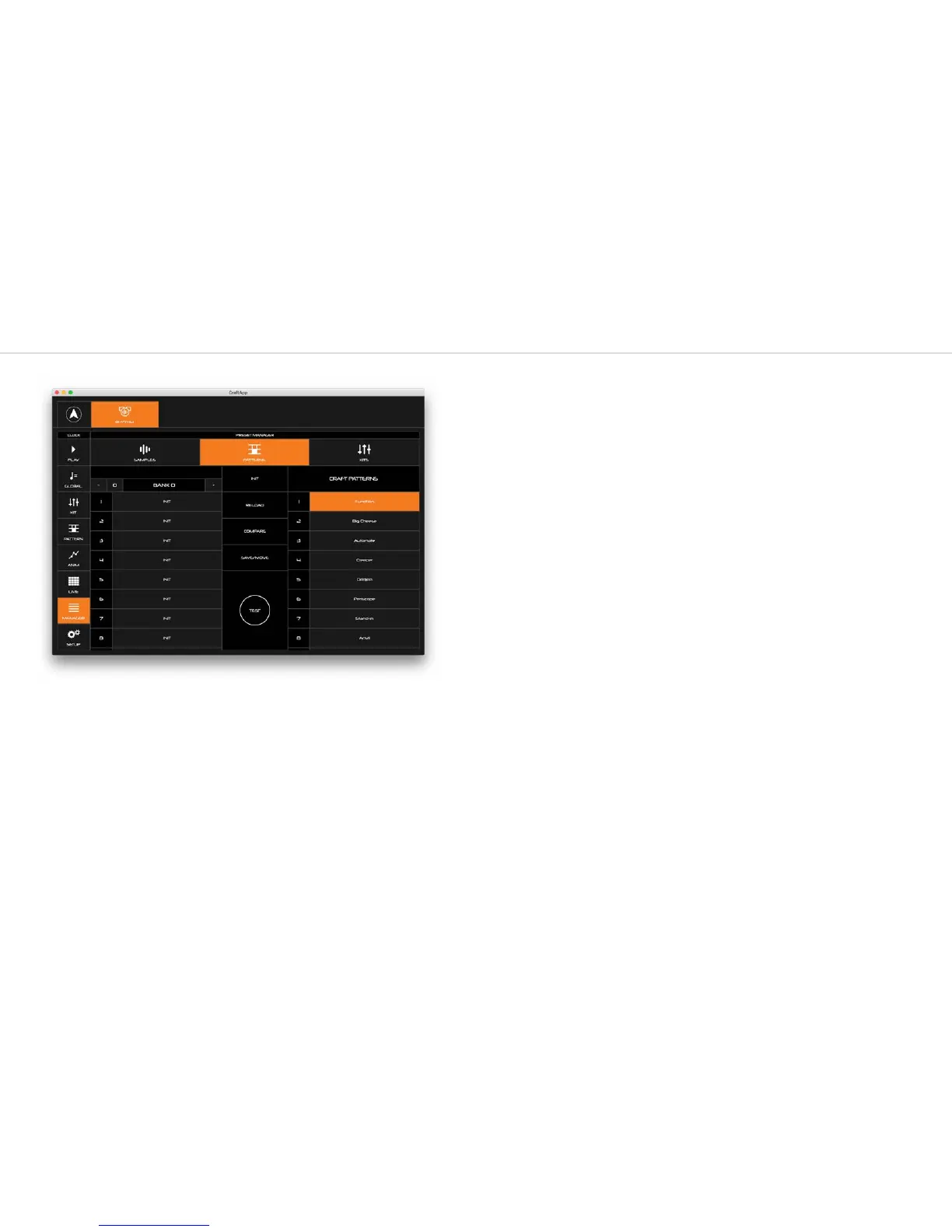
From this page, you can save, load and backup presets, as well as rename, move, compare,
and more.
Presets that are stored on the CRAFTrhythm are listed on the right. Presets that are stored in
the CRAFTapp are listed on the left. You can save multiple banks of presets in the App to
allow you to store more presets than are available on the unit itself.
Load
To load a patch from either a bank or the CRAFTrhythm, simply click on it. CRAFTrhythm will
load and play this kit or pattern.
Test
Click the TEST button to play the currently loaded kit or pattern through CRAFTrhythm. This
allows you to quickly hear what a preset sounds like through the Preset page.
Save / Move
If you want to save a preset, click SAVE/MOVE, which enters Save mode.
Now select a destination to save this preset to. You can choose to save onto the CRAFTrhythm
or into a preset bank on the App. Your selected slot will turn orange.
Now click SAVE to overwrite this preset, or EXIT to exit without saving.
Click RENAME to change the name of a preset before saving.
Use the << BANK button to move an entire bank of presets from the CRAFTrhythm to the
App bank. Use the BANK >> button to move an entire bank of sounds from the App bank to
the CRAFTrhythm. You need to click SAVE for this to take effect, or EXIT to go back without
moving anything.
Reload
This button reloads the currently loaded preset on CRAFTrhythm, losing all changes you have
made since you last loaded that preset.
Compare
COMPARE is only available on patterns. Turning on COMPARE temporarily reloads the
currently loaded pattern without losing any changes you have made since you loaded that
preset. Click compare again to go back to your version of the pattern.
This allows you to quickly check if you want to overwrite the preset with the changed you
have made.
Init
This button loads the initialisation parameters to craft, but doesn’t overwrite any saved preset.



 To Next Page