8
Setting up your speaker
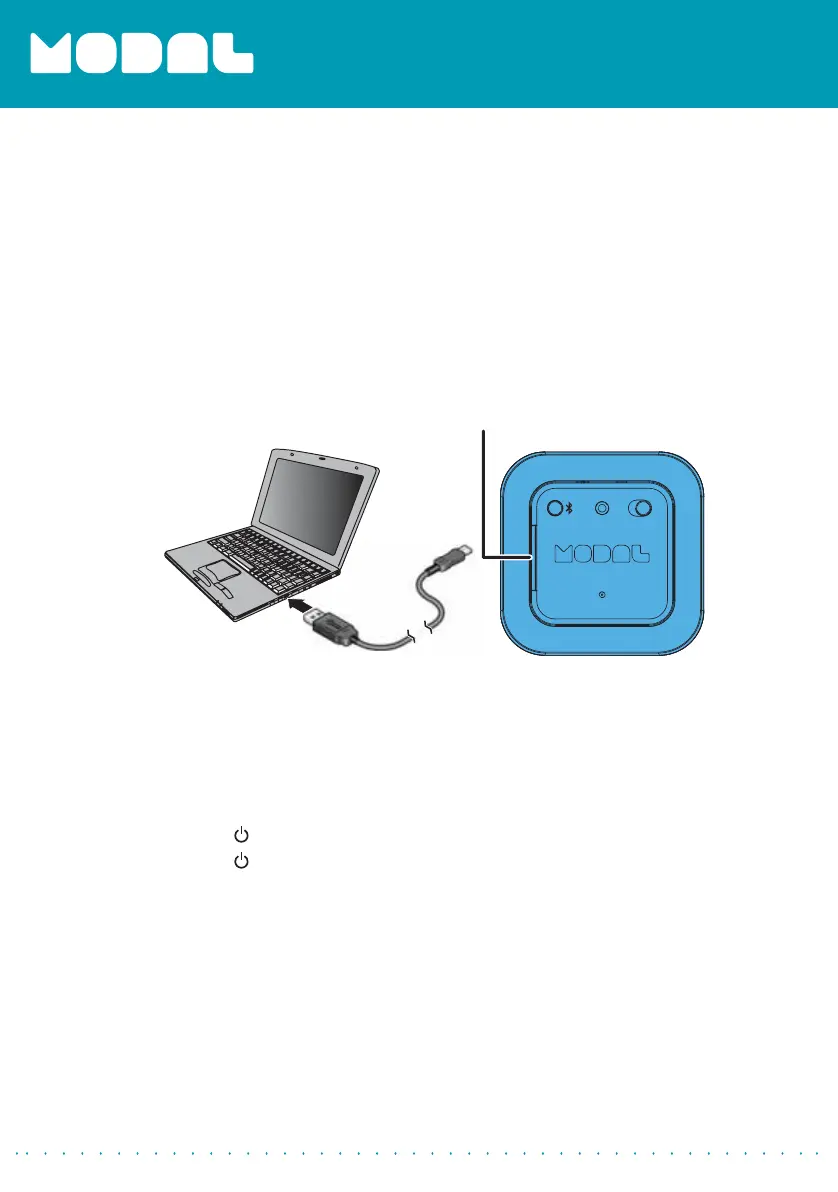
Charging your speaker
When your speaker’s battery is low, the red LED blinks.
To charge your speaker:
• Connect the charging cable to your Bluetooth speaker and to an
available USB port on your computer or a USB charging station.
Using your speaker
Turning your speaker on and off
To turn your speaker on and off:
1
Slide the
(power) switch to the right to turn your speaker on.
2
Slide the
(power) switch to the left to turn your speaker off.
Micro USB charging port
(under the flap cover)
MD-SPBT01_13-0842_MAN_V1_ENG.fm Page 8 Friday, November 22, 2013 10:09 AM



 To Next Page