5
TOUCH DISPLAY
The operation of your MODALO watch winder by touch display
is intuitive and logical. Once the device is connected, activate
the touch display by touching the display surface, as soon as the
display lights up, you can make the desired settings.
1. First, find out how many TURNS PER DAY (TPD) and which
direction of rotation your watches require. If you do not know,
contact the watch manufacturer or choose the standard
program 900 TPD, automatic bidirectional rotation.
2. Connect the watch winder to the power connection by using
the supplied AC adapter or, if the model is suitable, insert the
intended batteries (see page 2 for the type of battery). Equip one
or more watch holders with a watch (see extra page "Figure I-IV").
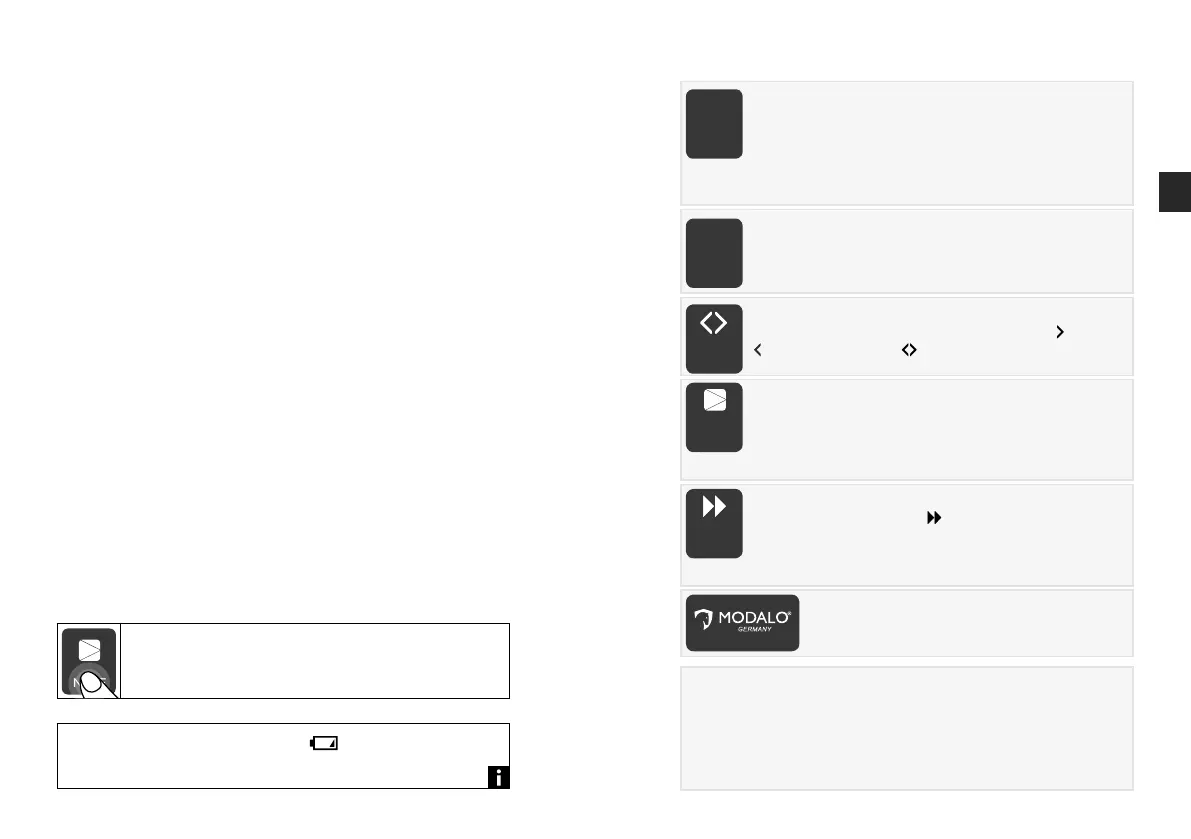
3. Select and activate the modules with the Line function.
The number of revolutions per day is set with the TPD function.
The direction of rotation is adjusted by the Direction function.
ON/OFF activates or stops the program. With SPEED you acti-
vate the speed winding function. The LED lighting is controlled
by touching the MODALO logo. In case of inactivity the display
switches off automatically after a short time, the set program is
active in the background.
For a precise input please touch with the nger always
the labelled area of the touch display (see picture).
When the battery symbol appears appears, the batteries
must be replaced in a timely manner.
6
1. LINE
Use the LINE function to select the desired modules for seve-
ral watches. The small numbers indicate which module is in
operation. When the module is selected, the number ashes.
When the module is activated, the number lights continuously
(no ashing on models with a large, central LINE number). The number of
available modules depends on its model.
PRESENTATION MODE
Hold LINE for 3 seconds to activate the presentation mode. All available
modules will be selected. With ON/OFF the program will be started and
stopped. Presentation Mode will run continuously for one hour with the settings
900 TPD, automatic bidirectional rotation. Hold the LINE button again for 3
seconds to exit the presentation mode. The previously set programs will continue.
LINE TPD DIR ON/OFF SPEED
1000
1 42 3
85 6 7
9 10 11 12
2. TPD - Turns Per Day
Use the TPD function to select the desired number of
revolutions between 650 - 1000 revolutions per day. The
selection is made in steps of 50.
LINE TPD DIR ON/OFF SPEED
1000
1 42 3
85 6 7
9 10 11 12
3. DIRECTION
Use the DIRECTION function to toggle between the
clockwise,
counterclockwise, and automatic bidirectional rotation.
LINE TPD DIR ON/OFF SPEED
1000
1 42 3
85 6 7
9 10 11 12
4. ON/OFF
Use ON/OFF to start and stop the program.
Optional: For models without a SPEED button, start and stop
the Speed Winding Function, by holding ON/OFF for 3
seconds. The speed symbol lights up when the program is active.
LINE TPD DIR ON/OFF SPEED
1000
1 42 3
85 6 7
9 10 11 12
PROGRAM SELECTION
5. SPEED (Speed Winding)
Use the SPEED function
to activate and deactivate
Speed Winding program (continuous winding of the watch) in
the selected direction of rotation. The function will be stopped
automatically after one hour, the previously set program will be continued.
LINE TPD DIR ON/OFF SPEED
1000
1 42 3
85 6 7
9 10 11 12
6. LED Illumination
Touch the MODALO logo to activate and deactivate
the LED Illumination.
LINE TPD DIR ON/OFF SPEED
1000
1 42 3
85 6 7
9 10 11 12
1 2 3 4
5 6 7 8
1000
LINE TPD DIR
ON/OFF SPEED
EN


 To Next Page
 Loading...