3 4
Position 1: Off
Position 2: 900 TPD, clockwise
Position 3: 900 TPD, counterclockwise
Position 4: 1700 TPD, automatic bidirectional
Position 5: 900 TPD, automatic bidirectional
USE AND TECHNICAL FEATURES
Please connect the Watch Winder to the mains using the sup-
plied AC adapter or, if the model is suitable, insert the intended
batteries (see page 2 for the type of battery). Equip one or more
winding modules with a watch (see extra page "Figure I-IV").
AUTOMATIC INTERVAL CONTROL
The Watch Winder is programmed to wind up all common watch
movements and starts the standard program when power is
supplied with 900 TPD, automatically changing the direction of
rotation. This corresponds to the settings of position 5 in the inter-
val table (see below).
ROTARY CONTROL
By the simple operation via classic knobs, the following preset pro-
grams can be activated quickly by selecting the program positions.
1. Please rst nd out how many revolutions per day (TPD) and
which direction of rotation your watches need. If you do not
know this, contact the watch manufacturer or select the standard
program 900 TPD, automatic bidirectional rotation (position 5).
PROGRAM SELECTION
2. Please select the desired program with the rotary control
(position 2-5) switch off the device by selecting the 1. position.
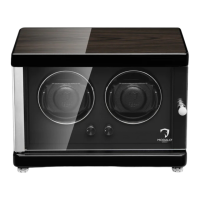
With devices for several watches, a knob is available for each
motor. To prevent the engine from damaging, stop the program
while changing the watch.
Position 1: Off
Position 2: 900 TPD, clockwise
Position 3: 900 TPD, counterclockwise
Position 4: 1700 TPD, automatic bidirectional
Position 5: 900 TPD, automatic bidirectional
EN


 To Next Page
 Loading...