3
VOLCANO
BOX CONTENTS
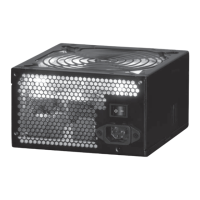
1. PSU UNIT
2. USER MANUAL
3. CABLE BAG
4. POWER CORD
5. MOUNTING SCREWS
Please make sure that all items, are in the box.
HOW TO INSTALL
1. Unplug every power plug from the computer.
2. Take the case o the computer.
3. Disconnect all power connectors of the current power supply.
4. Unscrew mounting screws of the back of the computer which x the power supply to the
computer case.
5. Screw on the new power supply to the computer case.
6. Connect the connectors of the new power supply to appropriate devices inside the com-
puter.
WARNING!
The connectors of the power supply are adjusted to be assembled only in particular way. If any
problems with connecting occur turn round the connector and try again,
7. Make sure that all of the bolts have been properly screwed inside the computer. Short cir-
cuit may be caused by a falling screw.
8. Put on and mount the computer case.
9. Plug in the power cord.
(only with 750-850W PSU)
EPS FDD HDD
SATA ATX 20+4 PCIE
PCIE 6+2


 To Next Page