FR-W181122
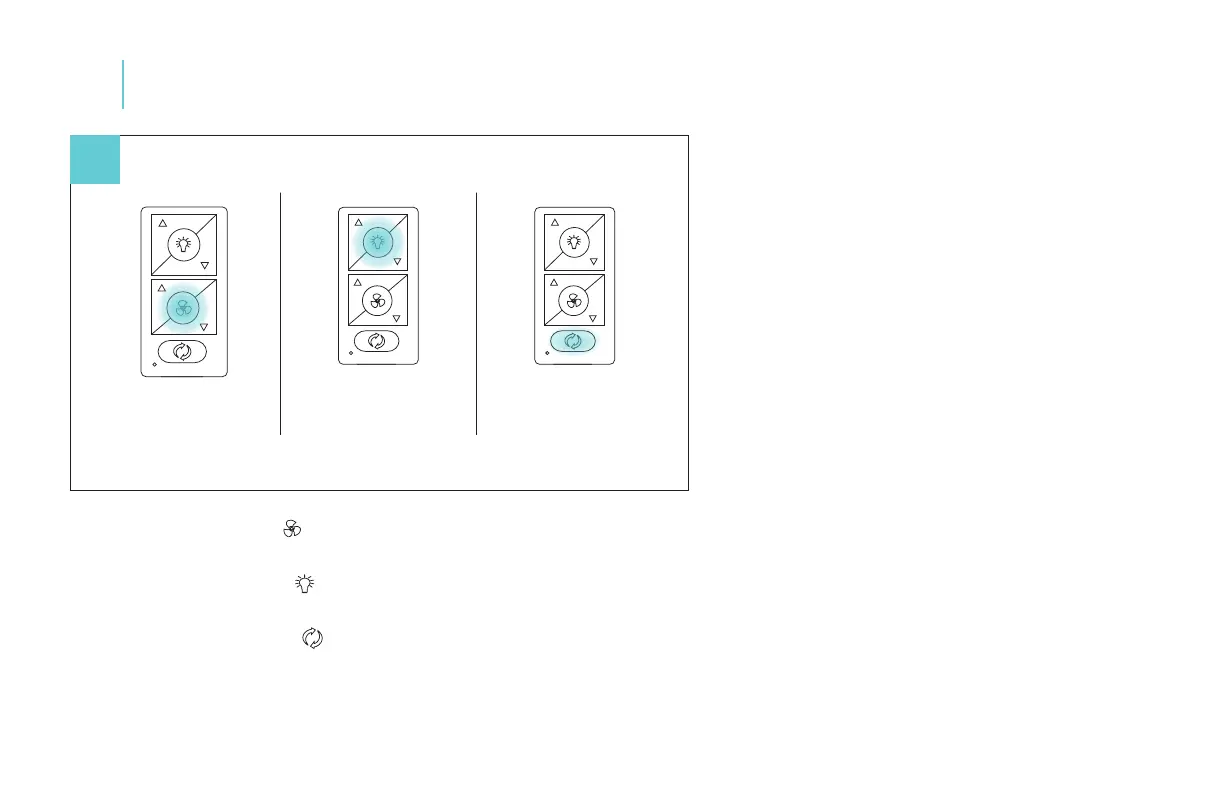
Fan On/O: Press and hold button for 4 seconds. The LED on the remote will ash green and all connected fans will beep to
indicate the message has been received. All fans will turn o. This will bring all fans controlled by the remote into sync.
Light On/O: Press and hold button for 4 seconds. The LED on the remote will ash green and all connected fans will beep to
indicate the message has been received. All lights will turn o. This will bring all fans controlled by the remote into sync.
Fan Direction: Press and hold button for 4 seconds. The LED on the remote will ash green and all connected fans will beep to
indicate the message has been received. All fans will be set to summer mode (CCW rotation). This will bring all fans controlled by the
remote into sync.
13
Controlling the Fan
22
Fan On/O
Press and hold
button for 4 seconds.
Light On/O
Press and hold
button for 4 seconds.
Fan Direction
Press and hold
button for 4 seconds.


 To Next Page