Installing, starting up and servicing heating, ventilation and air conditioning equipment poses
signicant hazards and requires specialized knowledge of Modine products and training in
performing those services. Failure to have any service properly performed by, or making any
modication to Modine equipment without the use of qualied service personnel could result in
serious injury to person and property, including death. Therefore, only qualied service personnel
should work on any Modine products.
Controller
Buttons
Function
Description
Controller
Buttons
Function
Description
ALARM
When one or more alarms are active the ALARM
button will blink/ash red. Pressing the ALARM
button once will indicate information regarding any
active alarms. Pressing the ALARM button twice
will reset any active manual-reset alarms.
UP
Pressing the UP button can either:
Scroll through the various display screens,
provided the cursor is in the top left position.
Increase the value of a setpoint adjustment.
PRG
Pressing the PRG button will select the main
navigation menu.
ENTER
Pressing the ENTER button will conrm any
setpoint adjustments and move the cursor to
the next available setpoint.
ESC
Pressing the ESC button will return the user to the
main display screen showing unit status.
DOWN
Pressing the DOWN button can either:
Scroll through the various display screens,
provided the cursor is in the top left position.
Decrease the value of a setpoint adjustment.
Modine Controls System Quickstart Guide
Indirect Fired Heating/Make-Up Air System Units (Model Series "D", "H", "I", "O")
a. Install unit in accordance with appropriate Modine Installation and Service Manual. Note: Controller will not be powered until unit has appropriate electrical
connections and disconnect switch is in “ON” position.
b. If the pGD1 remote user interface module will be used instead of the unit mounted pLDPRO interface module, follow the instructions in the latest revision of
literature 74-543 for installation, wiring, and setup of the pGD1.
a. The main
screen (shown at right) is the default navigation page, and can always be recalled by pressing . This may
need to be pressed more than once depending on which menu is active.
b. By pressing
you are able to scroll through the display screens which provide information about the current system
operation (examples include temperatures, output status, and space demand).
a. Enter the main menu by pressing
and scroll down to line ‘A. On/Off Unit’ and press .
b. Press to move cursor, to ‘Power By Display’ line and or to change the value between ‘ON’ and ‘OFF’. This
parameter must be ‘ON’ for unit to have any functionality (shown at right).
Note: Units can be operated on a custom dened schedule. If this is desired, refer to Section 5 on the next page.
Begin
Navigating the Display Module Screen
Main Screen and System Status
Turning Unit On / Off
1
2
3
4
(CONTINUED ON OTHER SIDE)
74 - 511.0
5H0880430000
This guide is designed to walk through the basics of establishing unit setpoints and scheduling for an Indirect Fired Heating/Make-Up Air System Unit (Model
Series "D", "H", "I", "O"). These settings are made using the unit mounted pLDPRO user interface module. The module features an integrated keypad and LCD
graphical user interface screen. For cases where remote access is preferred, the optional pGD1 user interface module provides the same functionality as the
pLDPRO on the unit. Refer to the latest revision of literature 74-543 for additional information.
Every unit with a Modine Controls System is designed for either standalone or networked operation. For units communicating on a BMS, the guide will also explain
how to adjust your unit’s device instance to allow proper communication.
These instructions must also be used in conjunction with the Installation and Service Manual (latest
revision of 5-565, 5-594, or 5-572 depending on unit model number) and Controls Manual (latest
revision of 74-510) that originally shipped with the unit, in addition to any other accompanying
component supplier literature.
W
ARNING
IMPORTANT
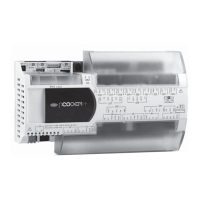
pCOOEM+ Medium Controller
pLDPRO and pGD1 User
Interface Modules
THIS MANUAL IS THE PROPERTY OF THE OWNER.
PLEASE BE SURE TO LEAVE IT WITH THE OWNER WHEN YOU LEAVE THE JOB.


 To Next Page
 Need help?
 General