EasyManua.ls Logo

Modine Manufacturing Airedale ClassMate CMD - User Manual

Modine Manufacturing Airedale ClassMate CMD
32 pages
Print Icon
To Next Page IconTo Next Page
Loading...
THIS MANUAL IS THE PROPERTY OF THE OWNER.
PLEASE BE SURE TO LEAVE IT WITH THE OWNER WHEN YOU LEAVE THE JOB.
IMPORTANT
1. The use of this manual is specifically intended
for a qualified installation and service agency.
All installation and service of this unit must be
performed by a qualified installation and service
agency.
2. These instructions must also be used in
conjunction with the Installation and Service
Manual originally shipped with the appliance, in
addition to any other accompanying component
supplier literature.
3. This manual applies to Modine Controls System
program version series 1. For any other version,
please contact Modine. The program version
that resides in the unit controller can be found
in the Information section of the Installer Sub
Menu. Refer to the manual for instructions on
accessing this screen.
WARNING
1. Improper installation, adjustment, alteration,
service or maintenance can cause property
damage, injury or death. Read the installation,
operating and maintenance instructions
thoroughly before installing or servicing this
equipment.
2. Disconnect power supply before making wiring
connections to prevent electrical shock and
equipment damage.
3. Improper control adjustments and manual mode
control can cause property damage, injury or
death. Read the installation, operating and
maintenance instructions thoroughly before
making adjustments.
MODINE CONTROLS SYSTEM MANUAL
ClassMate® and SchoolMate® Units
Models CMD/CMP/CMS, and SMG/SMW
AIR74-525.1
5H1046210000
July, 2016
Question and Answer IconNeed help?

Do you have a question about the Modine Manufacturing Airedale ClassMate CMD and is the answer not in the manual?

Summary

WARNING

IMPORTANT

General Information and Unit Overview

Controller Overview

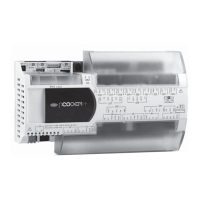
Details on the Carel pCOOEM+ programmable microprocessor controller.

Description and Features

Advanced features of the pCOOEM+ controller for complex HVAC/R applications.

Standard and Optional Sensors

Lists monitored sensors for ClassMate and SchoolMate units.

Model Nomenclature - ClassMate

Breakdown of model codes for ClassMate units selection.

Model Nomenclature - SchoolMate

Breakdown of model codes for SchoolMate units selection.

Display and Keypad Functions

Menu Navigation

Password Protection

Adjusting Control Settings

Main Status Screen

Main Status Screen Parameters

Details parameters displayed on the main status screen.

On;Off Sub Menu

Setpoint Sub Menu

Clock;Scheduler Sub Menu

Input;Output Sub Menu

Data Logger Sub Menu

Board Switch Sub Menu

Programming the Remote Display Keypad

Service Sub Menu

Information

Displays controller program, version, and hardware information.

Working Hours

Tracks operating hours for various unit components for maintenance.

BMS Configuration

Settings for Modine Control System communication protocols and network integration.

Working Hour Setpoint

Setting maintenance hour thresholds for component alarms and notifications.

Probe Adjustment

Calibration procedures for various input sensors to ensure accuracy.

Control Settings

Configuration parameters for unit operation, defrost, and compressor control logic.

User Save

Options for saving and restoring user settings and alarm history.

Manual Management - Analog Input

Manual control of analog input signals for testing or diagnostics.

Manual Management - Digital Input

Manual control of digital input signals for testing or diagnostics.

Manual Management - Relay Output

Manual control of relay outputs for testing or diagnostics.

Manual Management - Analog Output

Manual control of analog output signals for testing or diagnostics.

Unit Alarms

Unit Controller Inputs and Outputs

Typical BMS - EMS - BAS System Variables

Modine Manufacturing Airedale ClassMate CMD Specifications

General IconGeneral
BrandModine Manufacturing
ModelAiredale ClassMate CMD
CategoryControl Systems
LanguageEnglish