10
MODINE CONTROLS SYSTEM MANUAL
ClassMate and SchoolMate Models
AIR74-525.1
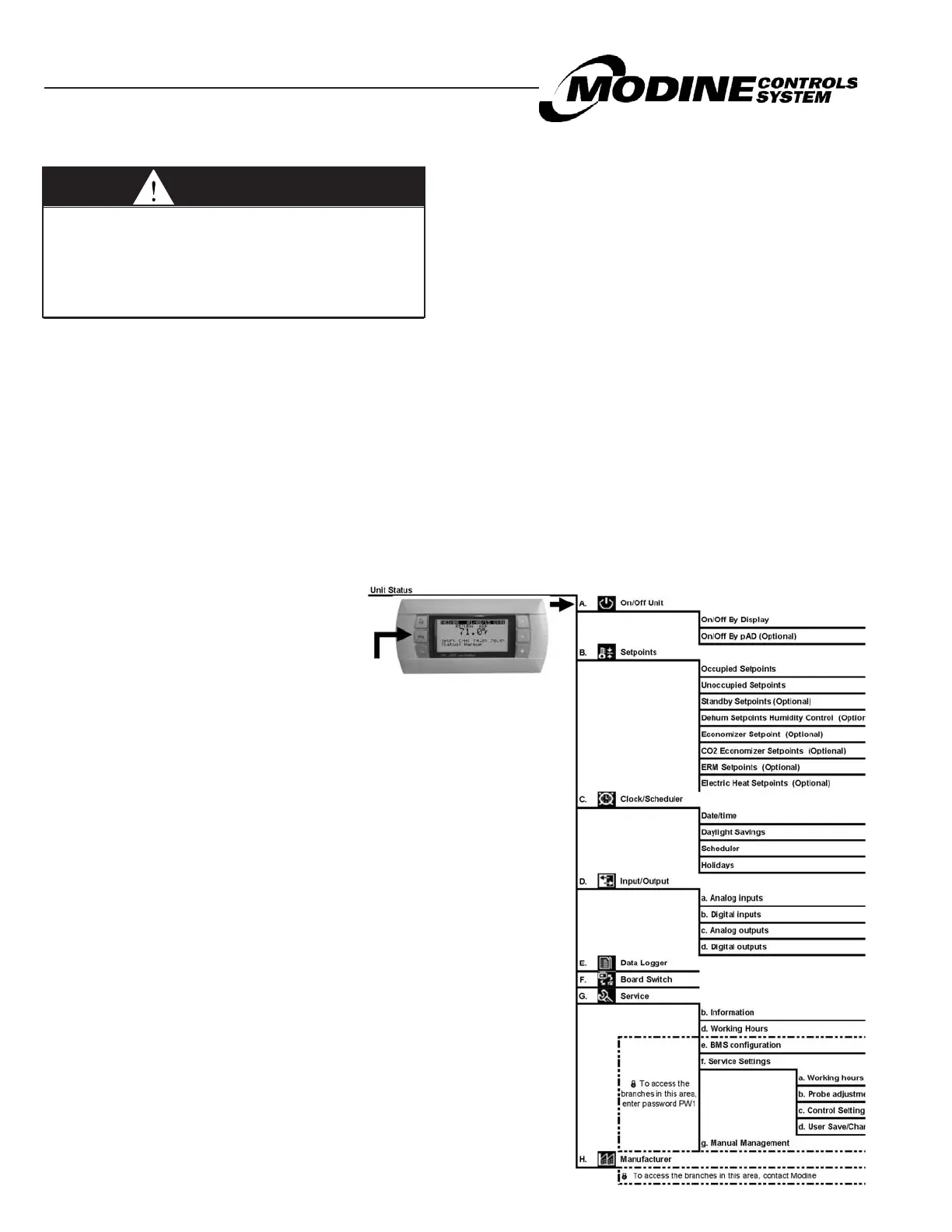
Main Menu - Tree of Functions
WARNING
Improper control adjustments and manual mode
control can cause property damage, injury or
death. Read the installation, operating and
maintenance instructions thoroughly before making
adjustments.
Password Protection
To prevent unauthorized adjustments, a password is
required to gain access to certain menus. When a
password is requested use the UP or DOWN keys to
enter the number and ENTER to access the pate. The
passwords for the sub menus are as follows:
SETPOINTS: None
CLOCK/SCHEDULER: None
PW1: SERVICE SETTINGS: 1500
MANUFACTURER: Contact Modine
Adjusting Customer Control Settings
The following procedure is used to access and adjust control
parameters (refer to Parameters List and Factory Values
pages 13-28).
1. After entering the correct password the cursor will appear
at the top left corner (home location).
2. Use the UP or DOWN keys to move to the desired menu.
3. To move the flashing cursor to the required adjustable
fields press ENTER.
4. Use the UP or DOWN keys to change the values and
press the ENTER key to move the cursor to the next field or
home location.
5. When the cursor is home either use the UP or DOWN
keys to scroll to the next sub-menu or the ESC key to exit
and return to the main menu page.
Regardless of the current screen displayed,
pressing the PRG key accesses the main
menu as shown below:


 To Next Page