8
MODINE CONTROLS SYSTEM MANUAL
ClassMate and SchoolMate Models
AIR74-525.1
Display/Keypad Functions
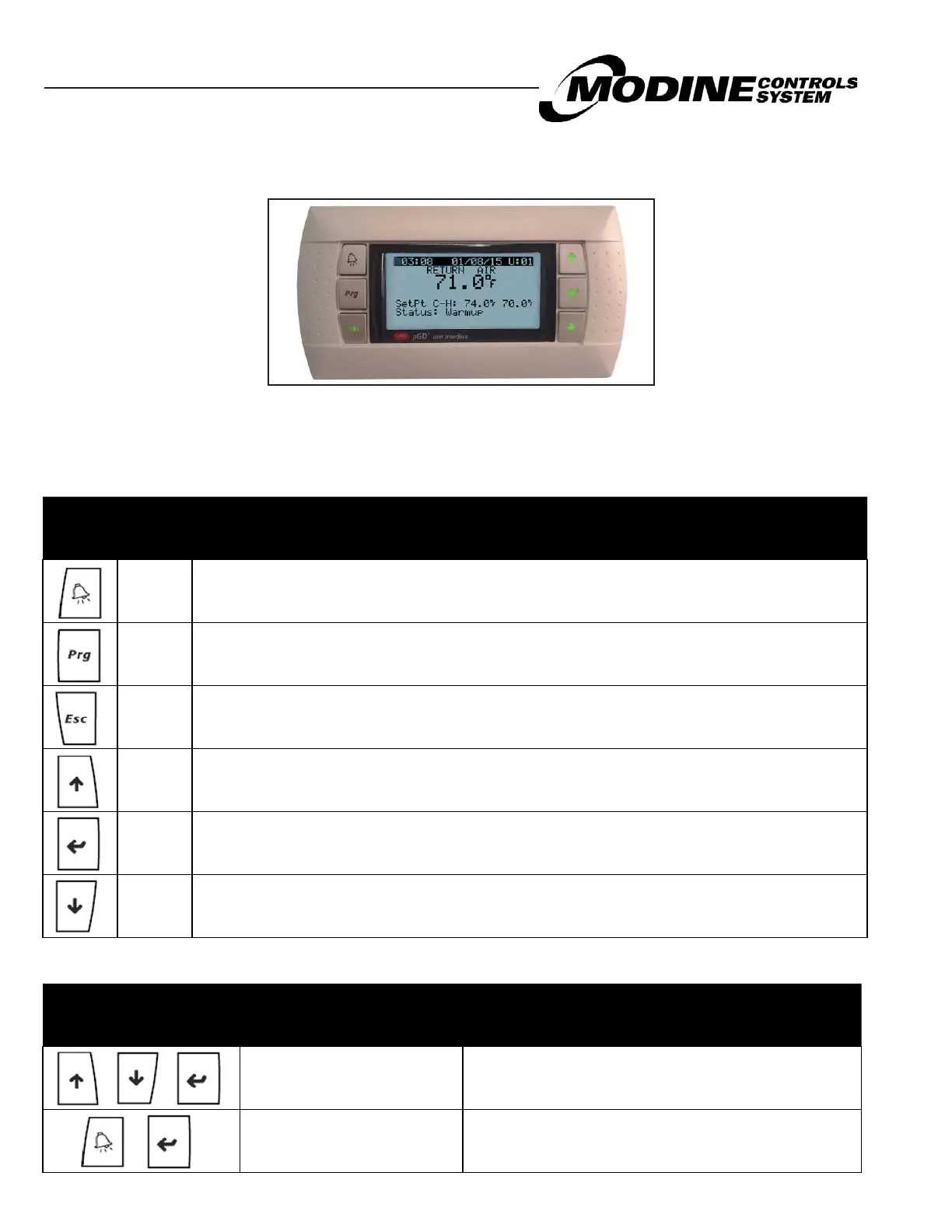
Figure 8.1 pGD1 Remote Display Keypad (Optional)¹
1 Refer to Literature AIR 2-542 for installation instructions and AIR 2-526 for quick start guide. Normally the keypad
display is automatically addressed by the controller. In the event that the keypad is not recognized refer to the Board
Settings section for instructions on programming the remote display keypad to the controller.
Table 8.1 - Standard Buttons
pGD1
Remote
Display
Function Description
ALARM
When one or more alarms are active the ALARM button will blink/flash red.
Pressing the ALARM button once will indicate information regarding any active alarms.
Pressing the ALARM button twice will reset any active manual-reset alarms.
PRG Pressing the PRG button will select the main navigation menu.
ESC Pressing the ESC button will return the user to the main display screen showing unit status.
UP
Pressing the UP button can either:
Scroll through the various display screens, providing the cursor is in the top left position.
Increase the value of a setpoint adjustment.
ENTER
Pressing the ENTER button will confirm any set point adjustments and move the cursor to the next
available setpoint.
DOWN
Pressing the DOWN button can either:
Scroll through the various display screens, providing the cursor is in the top left position.
Decrease the value of a setpoint adjustment.
pGD1
Remote
Display
Function Description
UP + DOWN+ ENTER Allows access to controller address.
ALARM + ENTER Allows access to controller system information.
Table 8.2 - Extra Function Button Sequences


 To Next Page