11
MODINE CONTROLS SYSTEM MANUAL
ClassMate and SchoolMate Models
AIR74-525.1
Main Status Screen
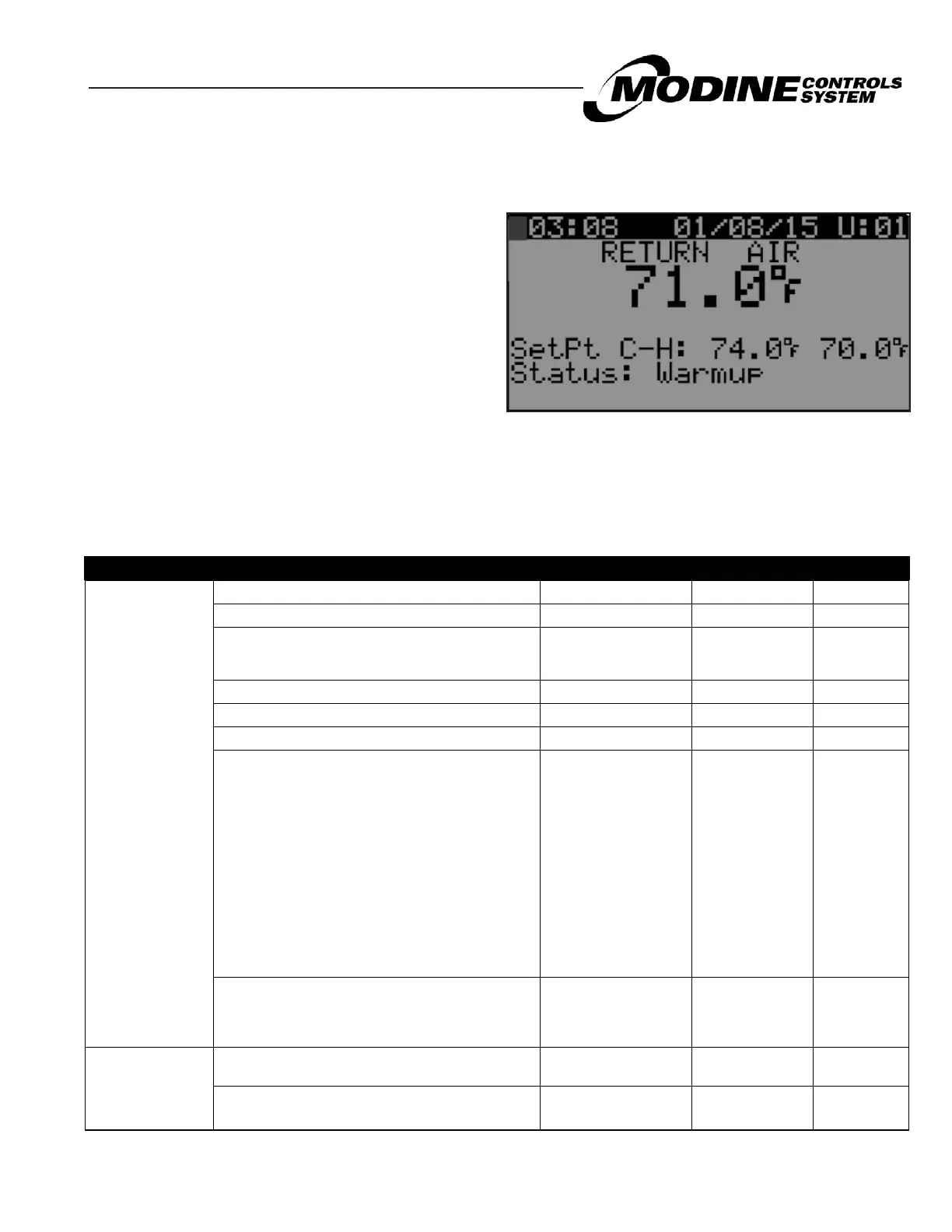
The main status screen is displayed when the unit is first turned on or after five minutes of keypad inactivity.
The following information is displayed on the main screen:
● Time/date
● Unit number
● Return / space air temperature
● Current return / space air setpoint
● Unit status
● Unit mode
Figure 12.1 Main Status Screen
Once this screen is displayed, the user can navigate up and down through the list of main status screen parameters by
using the UP or DOWN buttons. These screens are described in further detail in the next section
Main Status Screen Parameters
The status screens can be seen when the UP or DOWN buttons are pressed on the main status screen. The following
table describes the menu parameters (NOTE: changes in shading indicates change to next screen by using the UP or
DOWN buttons):
SCREEN NAME PARAMETER DESCRIPTION FACTORY VALUE RANGE UNITS
Main Screen
Time and date Current time and date - -
Unit network address Actual Value 1 to 32 -
Control Temperature Source Actual Value
Return Air
Space pAD
Space FW Stat
-
Control Temperature Actual Value - °F / °C
Econ (If Enabled) Actual Value 0-100 %
SetPt C-H: (Cooling and Heating Setpoints) Actual Value - °F / °C
Unit Status Current status of unit
Waiting
Unit On
OFF by Alarm
OFF by pLAN
OFF by BMS
OFF by Clock
OFF by Input
OFF by Keypad
OFF by Manual
Unoccupied
Warmup
Occupied
Standby
Unit Mode
Current Mode of
operation
Cooling
Econ Cooling
Heating
Dehum
-
Space Temperatures
(Screen Visible only if
pAD is Enabled)
pAD Temperature: Actual Value - °F / °C
pAD Humidity: (If Available on pAD)
Actual Value 0-100 %


 To Next Page