18
MODINE CONTROLS SYSTEM MANUAL
ClassMate and SchoolMate Models
AIR74-525.1
Programming the Remote Display Keypad to the Controller
Normally the Remote Display Keypad is addressed by
the controller, however in the situation that the Remote
Display address is required to be set up, the following
procedure applies:
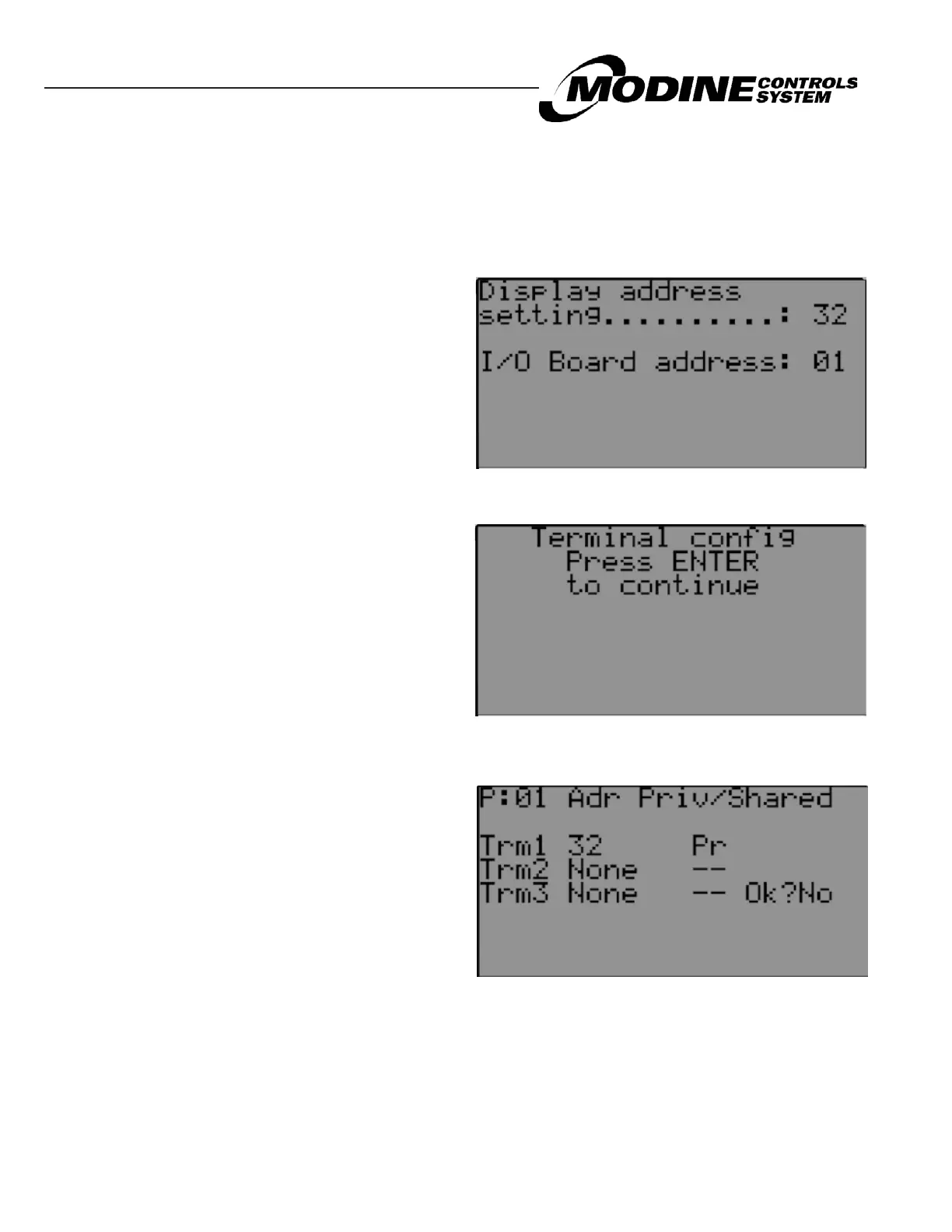
Figure 19.1 Display Address Screen
1. Connect the handheld remote display keypad to the
controller and then power up the unit.
2. By simultaneously pressing and holding ENTER +
UP + DOWN, the display will show the Display Address
screen (Figure 19.1) to the right.
3. Pressing UP will change the I/O board address to
the controller address 1. Press ENTER to display the
terminal configuration screen (Figure 19.2) to the right:
4. Press ENTER again. The display will show the terminal
configuration screen (Figure 19.3) to the right:
5. To select Termiinal 1, press ENTER until the cursor is
underneath Trm1 00 Pr (PRIVATE).
6. Pressing UP or DOWN will change the to the required
value to 32.
7. To set as Private or Shared, press ENTER until the
cursor is underneath the Pr symbol.
8. Pressing UP or DOWN will change the Pr to Sh
(SHARED) symbol. Pr for Normal.
9. Press ENTER until the cursor is underneath the NO.
10. Pressing UP or DOWN will change the NO to YES.
Press ENTER and the display is programmed.
Figure 19.2 Terminal Confi guration
Figure 19.3 Terminal Confi guration


 To Next Page