F
Manual MODSTER Breezy
16 www.modster.at
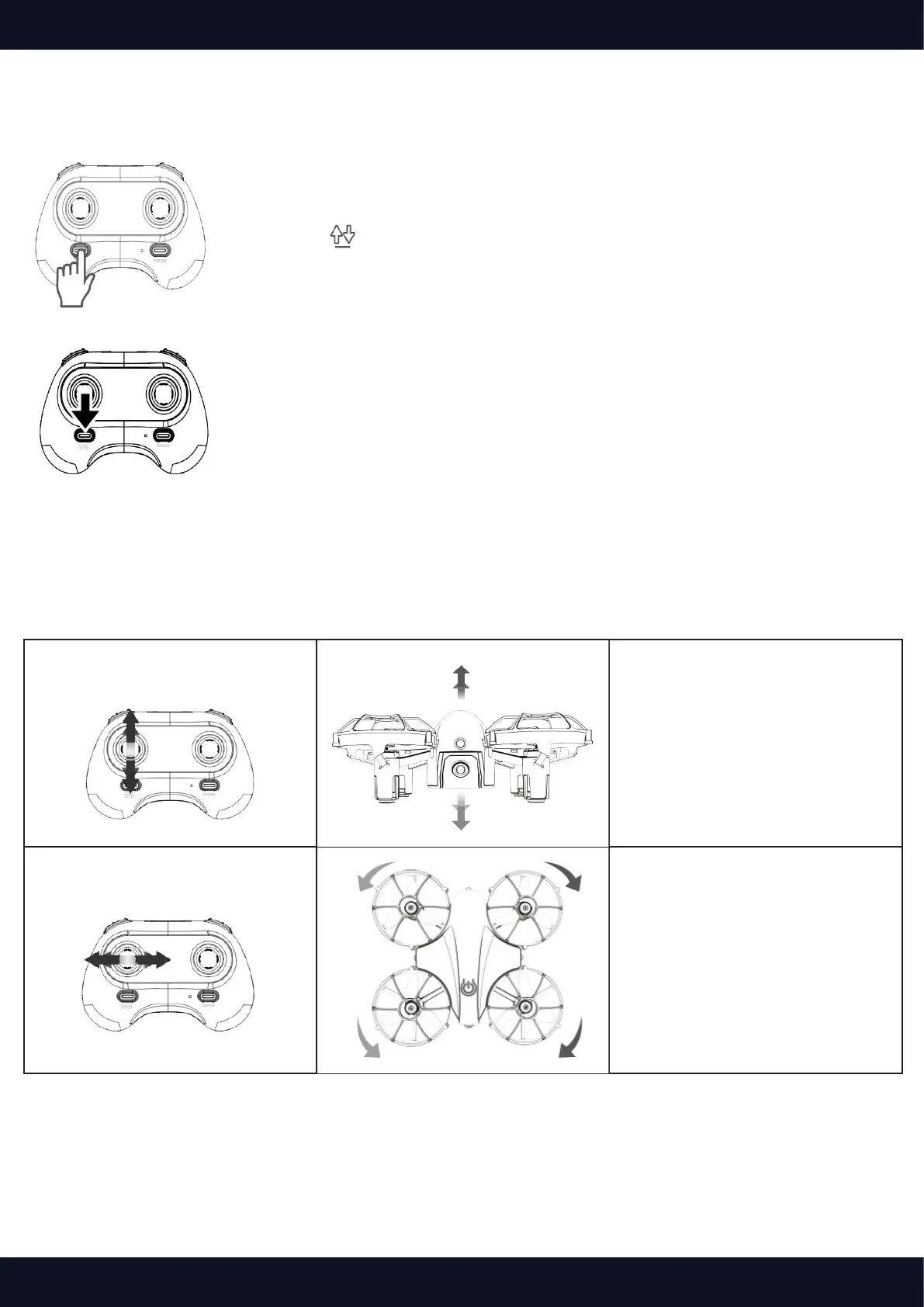
Landing
Option 1:
Press the button to land.
Option 2:
Pull the Left Control Stick backward to the bottom to land the drone, and
hold it for 3s at least until all the rotor blades stop rotating.
Instructions of the Remote
Left Control Stick
Ascend and descend
Push the Left Control Stick forward
and the drone will ascend; pull it
backward and the drone will
descend.
Rotate Left and Right
Push the Left Control Stick leftward
and the drone will rotate to the left;
pull it rightward and the drone will
rotate to the right.



 To Next Page