6
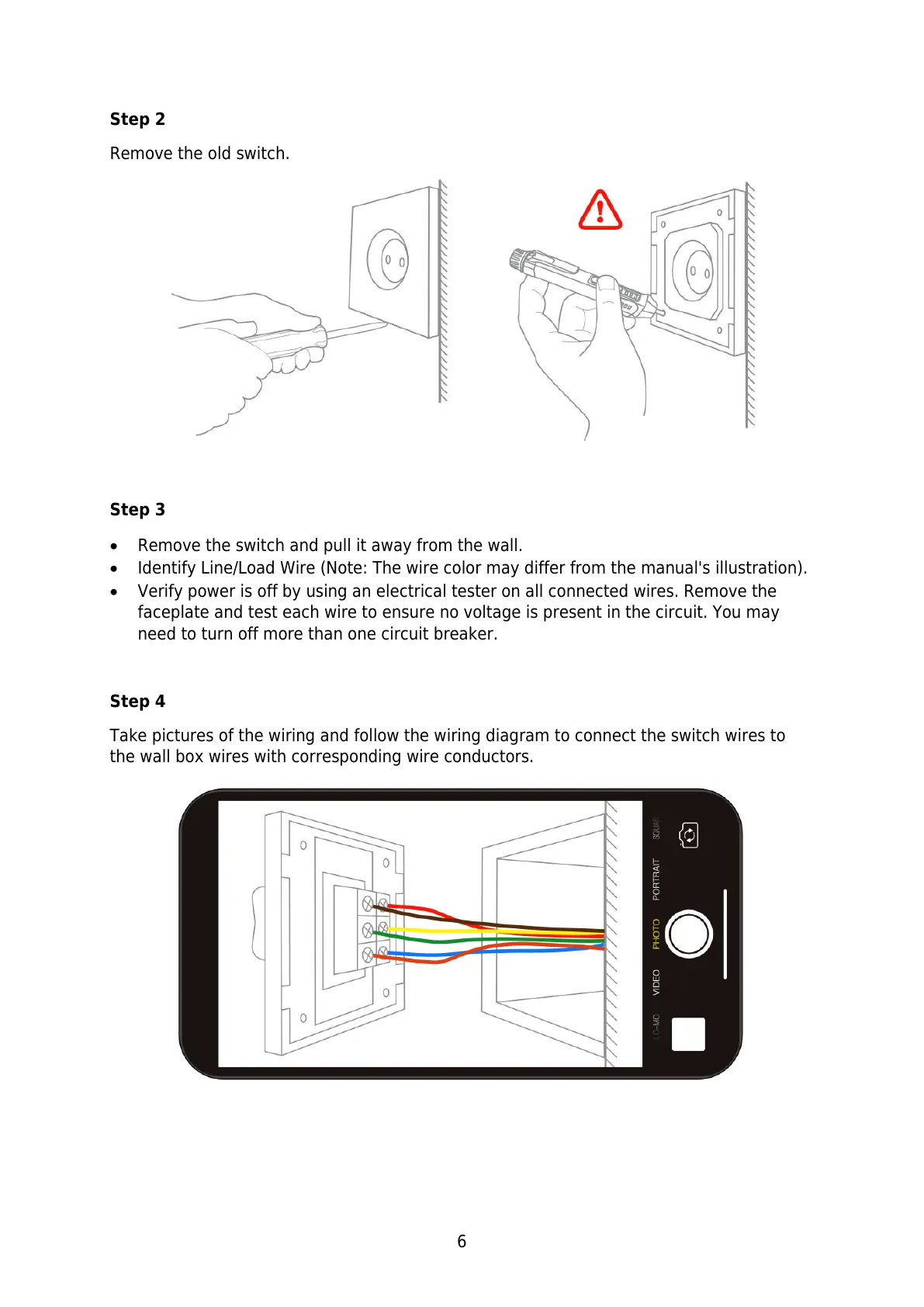
Step 2
Remove the old switch.
Step 3
Remove the switch and pull it away from the wall.
Identify Line/Load Wire (Note: The wire color may differ from the manual's illustration).
Verify power is off by using an electrical tester on all connected wires. Remove the
faceplate and test each wire to ensure no voltage is present in the circuit. You may
need to turn off more than one circuit breaker.
Step 4
Take pictures of the wiring and follow the wiring diagram to connect the switch wires to
the wall box wires with corresponding wire conductors.



 To Next Page