7
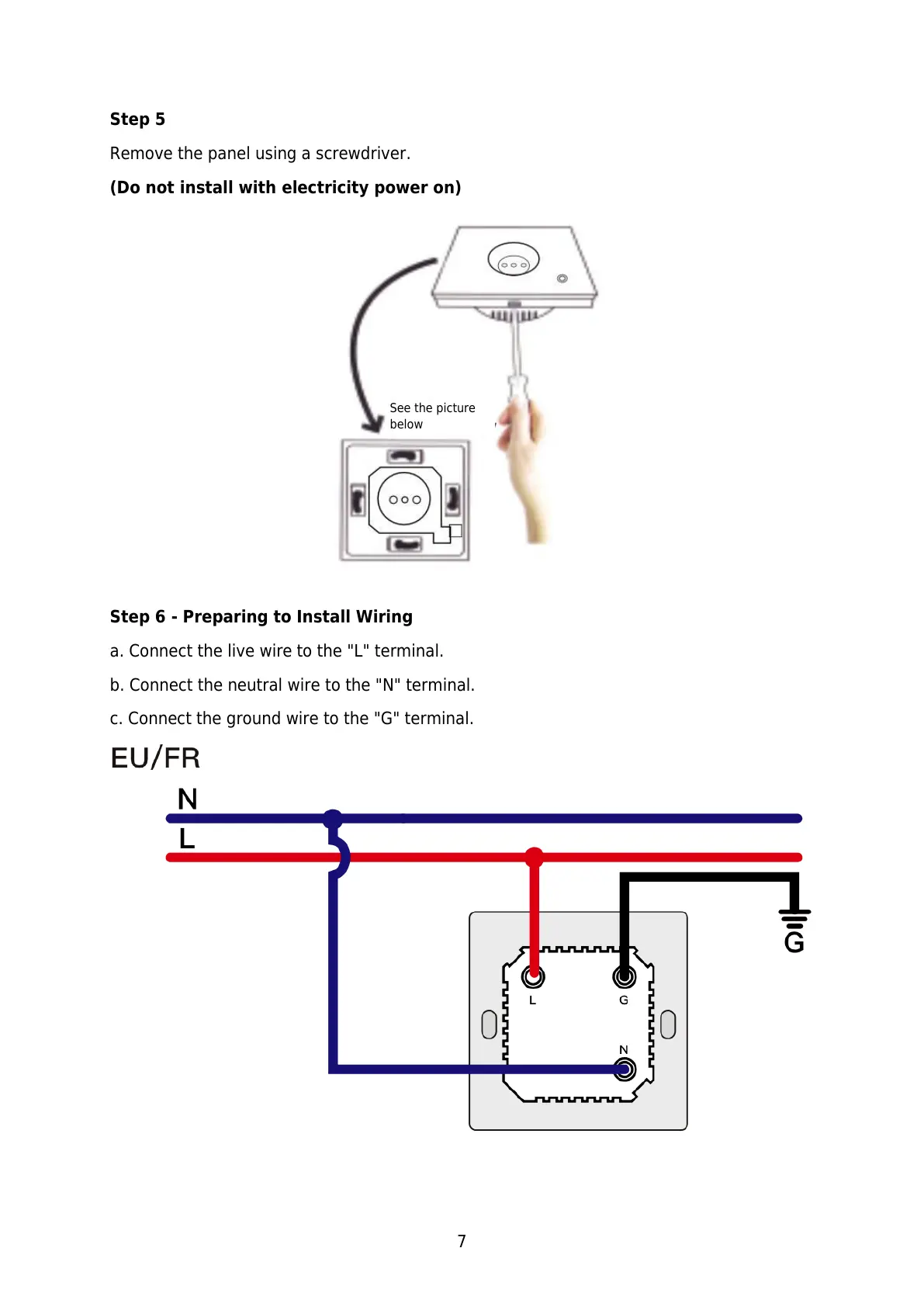
Step 5
Remove the panel using a screwdriver.
(Do not install with electricity power on)
Step 6 - Preparing to Install Wiring
a. Connect the live wire to the "L" terminal.
b. Connect the neutral wire to the "N" terminal.
c. Connect the ground wire to the "G" terminal.



 To Next Page