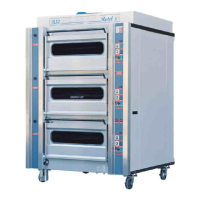
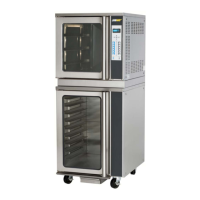
The ROTEL II OVEN is a commercial baking oven designed for safe and efficient operation in bakeries. This training manual provides comprehensive instructions for its use, cleaning, and maintenance, ensuring safe and long-lasting performance. The oven is available in various chamber configurations, with the pictured model being a 4-deck, 2-split oven.
Function Description:
The ROTEL II OVEN is primarily used for baking a variety of products, including bread, cakes, pies, and pastries. It features multiple baking decks, some of which are "standard decks" and others are "split decks." The standard decks have independent top and bottom heat controls, allowing for precise temperature management for different products. The split decks are located in the middle of the oven and also offer controlled baking environments. The oven incorporates a rotating turntable system within each deck to ensure even heat distribution and consistent baking results. A steaming function is also available for products requiring a moist baking environment, such as crusty loaves and French sticks.
Important Technical Specifications:
While specific power ratings are not detailed in the provided excerpts, the manual emphasizes that the bakery's electrical system must comply with current electrical regulations, including proper earth connection and protection against overload currents and short circuiting. The rated power of the machine is indicated on the machine plate. The oven's temperature controls allow for a wide range of baking temperatures, with examples in the product guide ranging from 200°C to 250°C. Bake timers are adjustable, with examples showing durations from 15 to 33 minutes. The steam timer is also adjustable, with a maximum setting indicated. The oven's design includes flue dampers, which can be opened or closed to manage heat loss and achieve specific product results.
Usage Features:
The ROTEL II OVEN is designed for user-friendly operation with a focus on safety.
- Controls: Each deck has its own set of controls, including a steam indicator, steam on/off button, temperature control, bake timer, timer start/reset buttons, and heat indicator lights. The main power switch, light switch, and steam selector (with four settings) are centrally located. For models with turntables, there are rotation stop and start buttons.
- Pre-heating: A 20-30 minute pre-heat time is recommended before loading the oven at the start of each shift to ensure even heating.
- Loading: Products should be loaded into the oven once the desired temperature has been reached (indicated by the 'heat on' light turning off). The manual advises against filling the oven with steam prior to loading. Correct loading is crucial to avoid damage to oven drive devices.
- Steaming: The steaming function is optional and should be used at specific times for certain products. Users are warned not to over-steam, as this can prolong heat recovery and negatively affect products. Crucially, the oven should never be steamed when the door is open, and several minutes should be allowed after steaming is complete before opening the door.
- Temperature Management: Users should not exceed a 30°C temperature difference between different decks. The temperature controller must be set to the required temperature for the desired product. Heat balance control gauges (e.g., 4 top heat, 6 bottom heat) are used to adjust heat distribution, especially on split decks.
- Baking Cycle: The bake timer alarm will ring continuously after the set time, requiring the user to press the start/stop button to reset it.
- Product Guide: A product guide, fixed to the oven's fascia, provides general recommendations for baking times and temperatures for various products. This guide also serves as a benchmark for operating efficiency, helping users identify when to contact service if significant variations in product quality or bake time occur.
- Safety: The manual emphasizes several safety precautions, including avoiding contact with hot surfaces, observing warning signs, using protective working gloves, and handling hot trays with caution. Loose clothing should not be worn near the oven. The oven should only be operated by trained personnel, and unauthorized modifications or repairs are strictly prohibited. The oven must be switched off at the electricity mains before cleaning or maintenance.
Maintenance Features:
Routine maintenance is crucial for the oven's longevity and safe operation.
- Cleaning: Daily cleaning involves wiping down control panels and switches with a lint-free rag, and external surfaces with a dry cloth. The internal baking chamber should only be cleaned when cool, using a damp cloth. Buckets of water or a hose should not be used. A long-handled scraper and broom are supplied for cleaning internal surfaces and brushing out crumbs, working from top to bottom. Special care must be taken around internal oven elements. Glass viewing windows can be cleaned with dry stainless steel wool.
- Turntable: The standard turntable has a removable section to facilitate cleaning. Oven racks in the split decks are also removable. All turntables should be checked to ensure they are free to turn. The lift-out segment of the oven turntable must always be replaced before starting the oven.
- Water Filter: The water filter requires replacement cartridges at regular intervals, depending on local water conditions. Moffat Service Agent can advise on recommended servicing.
- Electrical System: Periodical checks of the power cable and cable clamp are necessary, with immediate replacement by qualified personnel if defective.
- Professional Maintenance: For all extraordinary maintenance, the manufacturer or qualified/authorized personnel should be consulted. The operator should never tamper with or make repairs to the appliance; all maintenance other than approved cleaning operations must be carried out by trained technicians.
The manual also includes a "Hazard Risk Analysis" and "Risk Assessment" to highlight potential dangers and outline existing controls and remedies for issues such as electrical hazards, hot surfaces, and manual handling risks. A "Trouble Shooting" section provides common problems, possible causes, and remedies, encouraging users to contact a Moffat Service Agent for more complex issues.

 Need help?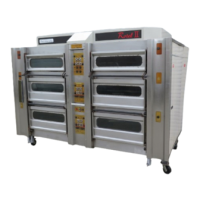

 To Next Page
 General