TRACKING FORCE
AND ANTI-SKATE
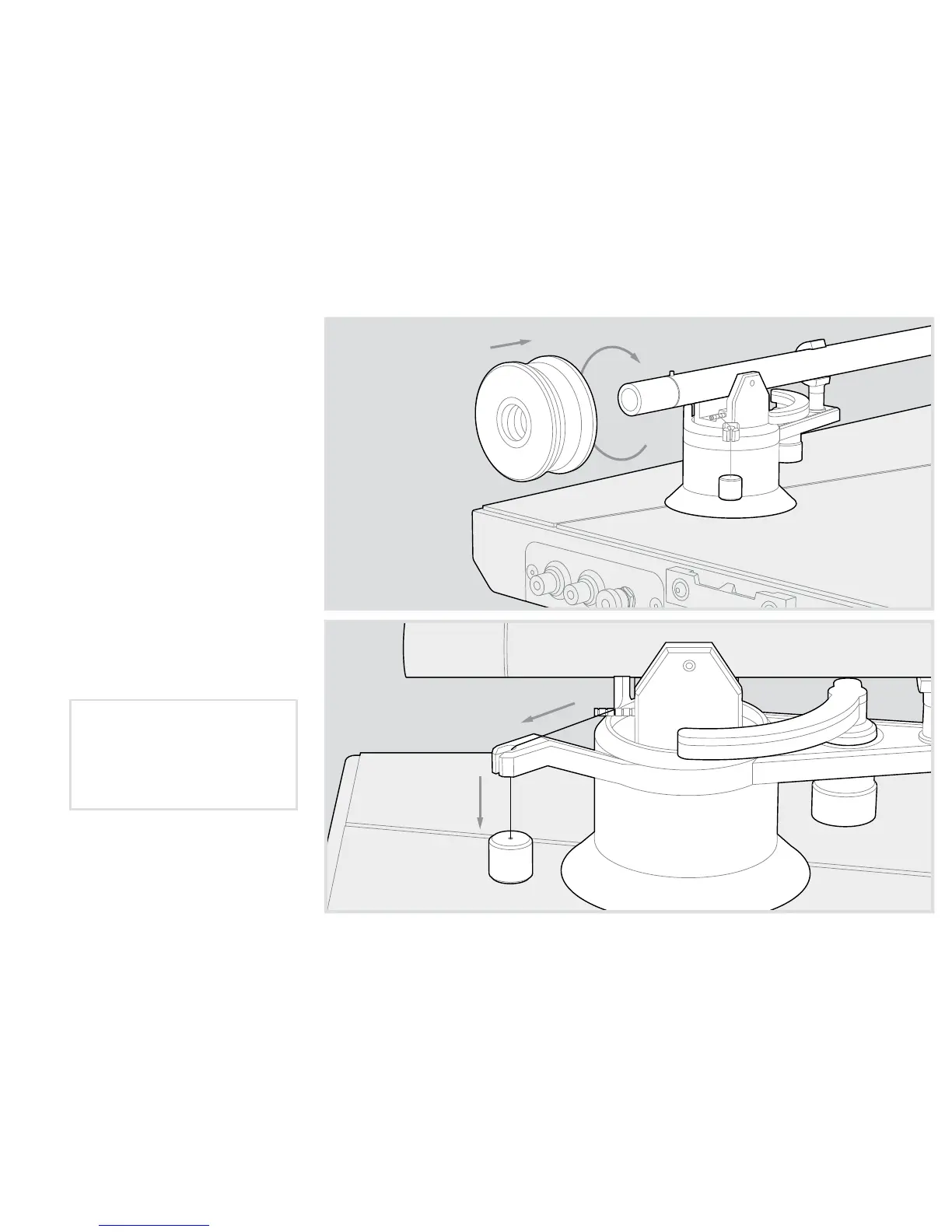
Install the supplied counterweight
onto the tonearm’s endstub and
balance the arm for zero-tracking.
Using a stylus force gauge, rotate
the counterweight until the
desired tracking force is achieved
per your cartridge manufacturer’s
specifications.
Attach the anti-skate weight
with loop to the anti-skate pin,
and dress the remaining line and
weight to the arm’s anti-skate
hanger. Set the loop to the
suggested notch on the pin based
on your cartridge’s weight. Each
notch reads from front to back:
If UltraDeck™ came with
the UltraTracker™ cartridge
preinstalled, use Notch 3.
Notch 1: 4g – 6g cartridges
Notch 2: 6g – 8g cartridges
Notch 3: 8g – 10g cartridges
Notch 4: 10g – 12g cartridges



 To Next Page