VIDEO MODE
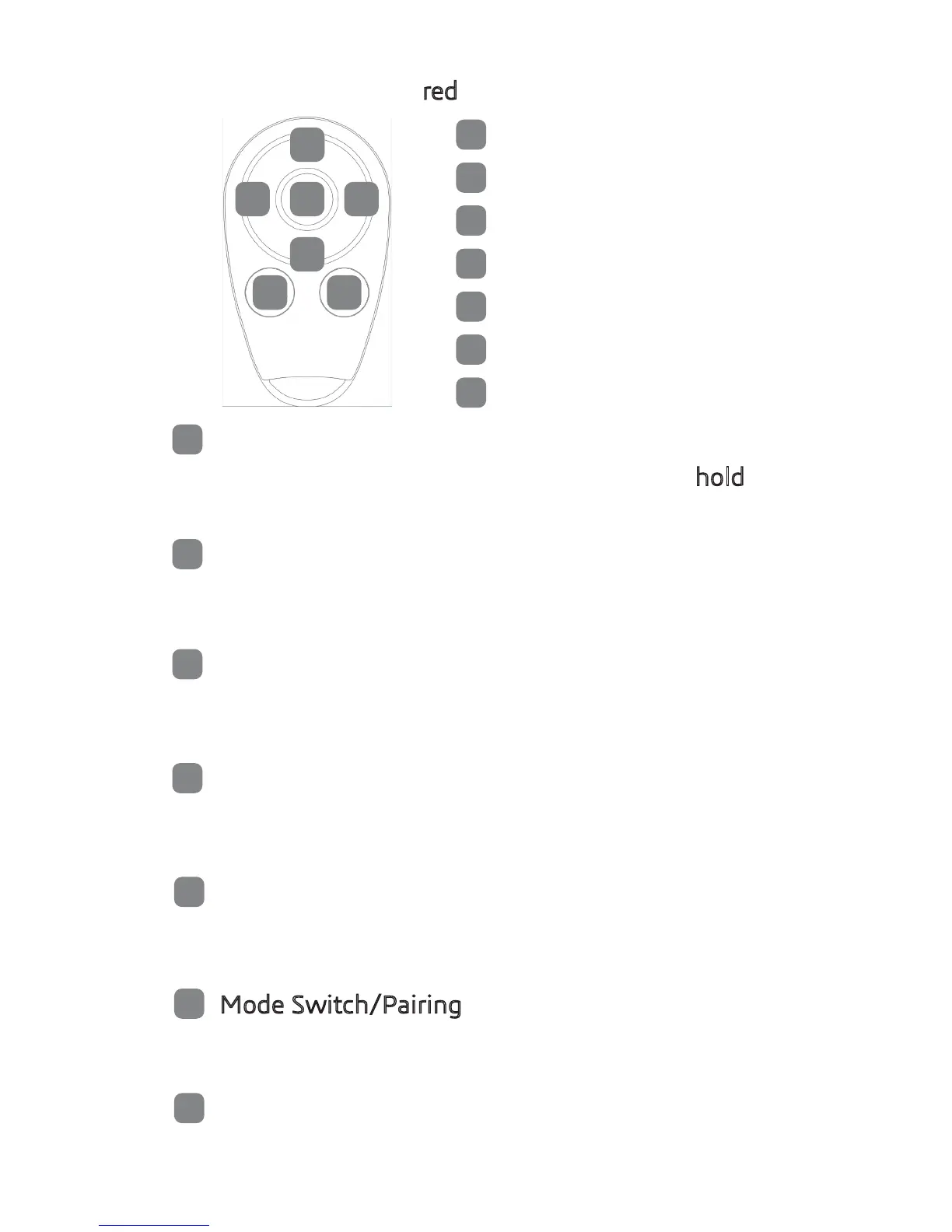
When LED ring is red, YoYo is in Video mode.
1
2
3
4
5
6 7
Short press to start/stop recording. Press and hold 2s
to start looping video. Short press to stop recording.
2
3
4
5
6
7
1
Shutter
Time Lapse
Video Only
Slow Motion
Car Mode (Looping)
Mode Switch/Pairing
EIS/HDR
1
Shutter
2
3
4
5
Time Lapse
Video Only
Slow Motion
Car Mode (Looping Video)
Short press to switch to time lapse mode.
Press shutter to start/stop recording.
Short press to switch to regular video mode.
Press shutter to start/stop recording.
Short press to switch to slow motion mode.
Press shutter to start/stop recording.
Short press to switch to car mode (Looping Video).
Press shutter to start/stop recording.
6
Mode Switch/Pairing
Short press to switch between video and photo mode.
Press and hold 5s to activate paring mode.
6
EIS/HDR
Short press to turn on/off EIS stabilization.
Press and hold 5s to turn on/off HDR.

 To Next Page
 Loading...