7
RIDING MOWER LIFT
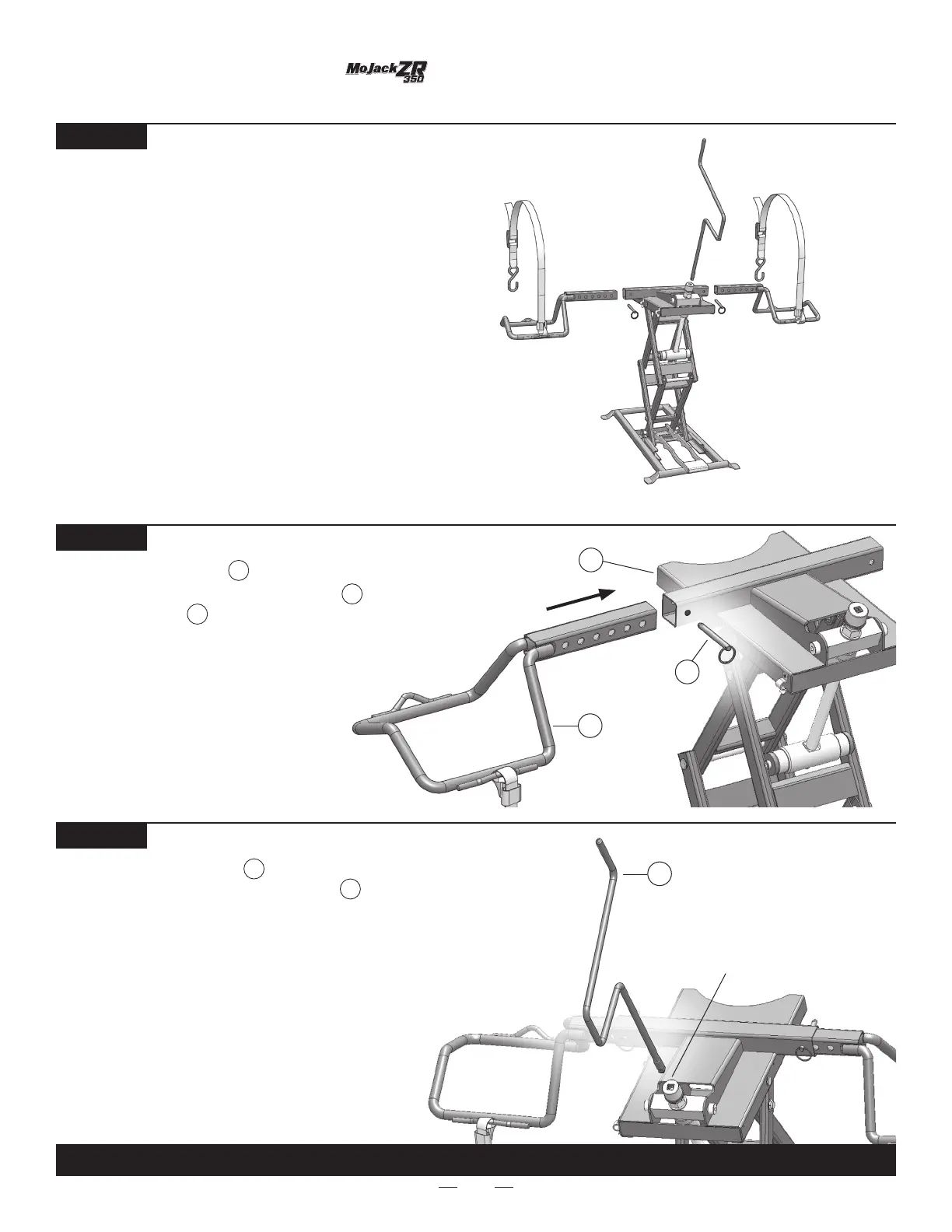
Insert the Crank Handle into the drive socket.
The square end of the Crank Handle is
tapered to make cranking more comfortable.
If the Crank Handle wobbles a little during use,
this is normal.
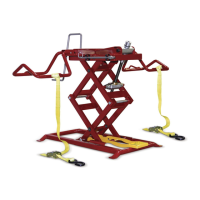
Attach the Wheel Pad into the square
tube on the top of the Scissor Frame and
install Push Pins . Repeat with second
Wheel Pad.
ASSEMBLY INSTRUCTIONS
STEP 1
Remove mower lift from package.
Inventory items to be certain all parts and hardware
are present. If any parts or hardware are missing,
please contact customer service at 1-877-575-3173.
Scissor Frame
1
2
1
Wheel Pad
2
STEP 2
5
Push Pin
5
STEP 3
3
3
Crank Handle
3
THIS COMPLETES ASSEMBLY.
Drive Socket


 To Next Page