5
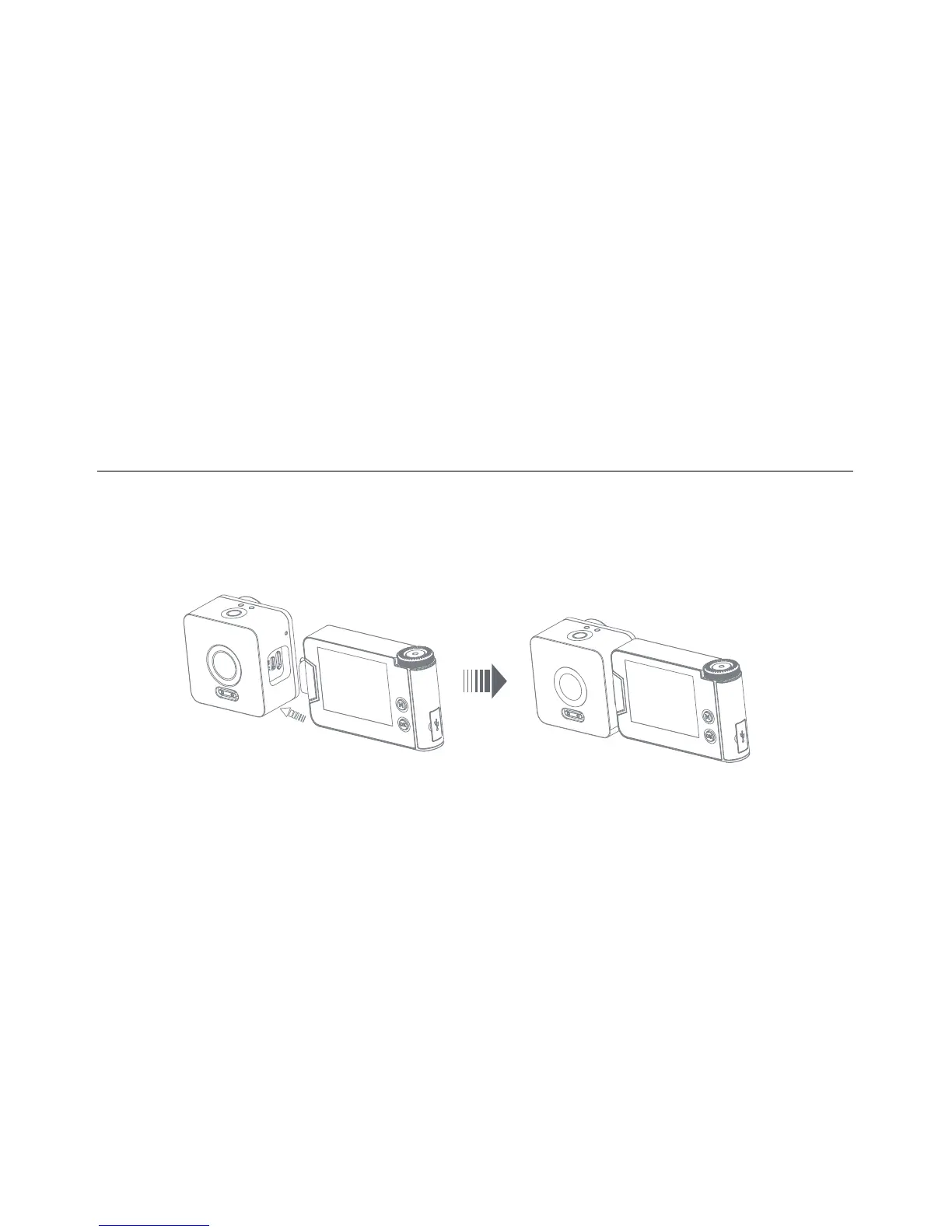
Add-on LCD
Caution
• Remove the side cap from the camera.
• Insert the USB-C port from the LCD Screen into the USB-C port of the camera, make sure to fully insert the connection.
• Press and hold the “OK” button for 2-3 seconds to rotate the display 180° as needed.
The USB-C Port under this side cap is for LCD screen connection ONLY.
Do NOT insert any USB-C cable, otherwise the camera may be damaged.


 To Next Page