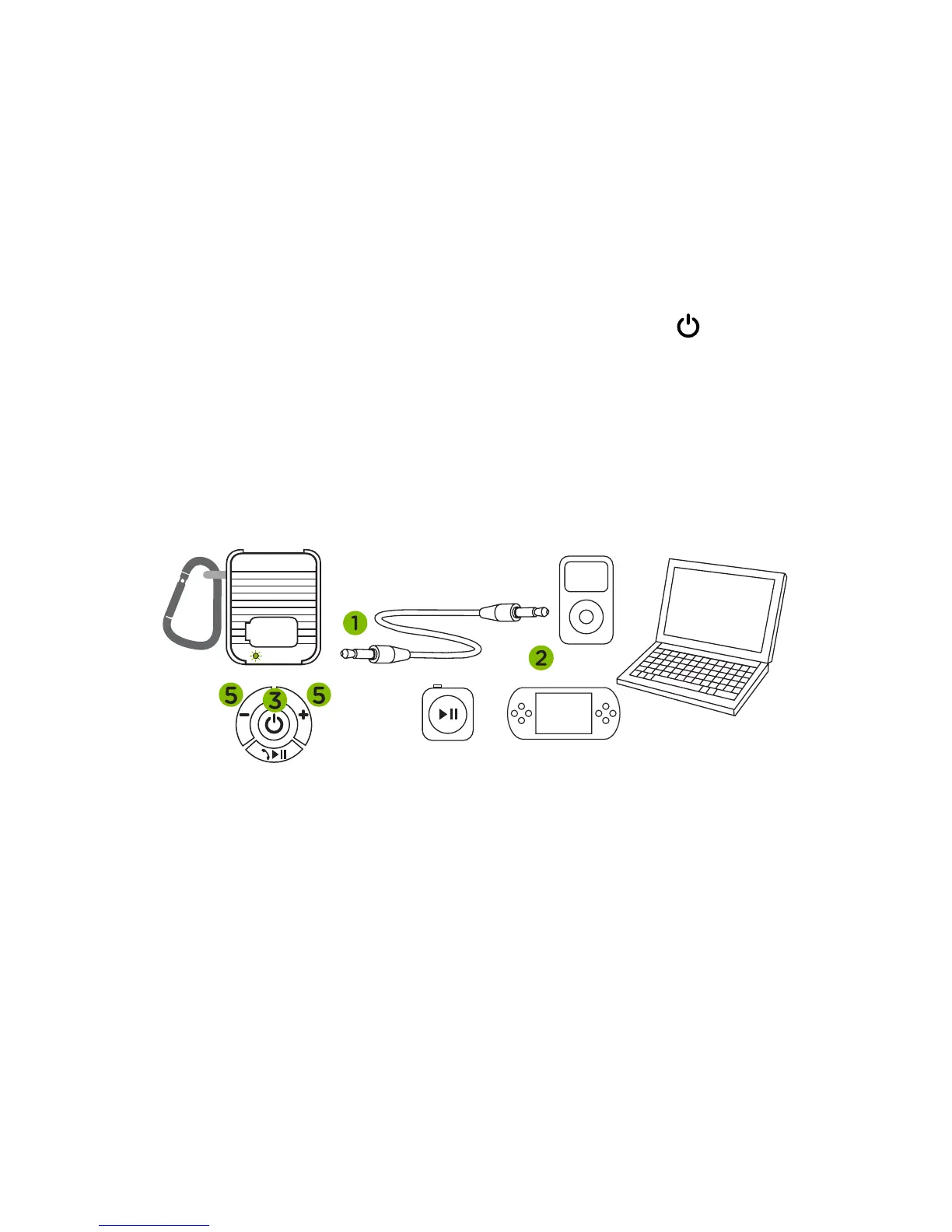
Play via audio cable
1. Insert 3.5 mm (
1
/
8
in) audio plug into the
“AUX IN” socket on AquaBass.
2. Insert opposite end into your audio player’s
headphone socket.
3. Turn on AquaBass by pressing centre ( )
button on the base control.
4. Play music and adjust volume using
player controls.
5. Volume can be adjusted on AquaBass and/or via
the connected audio player.
Note: Bluetooth and play / pause functions will have
no use when connected via 3.5 mm audio cable.
USB
CHARGE
AUX
IN


 To Next Page